<?xml version="1.0" encoding="utf-8"?><feed xmlns="http://www.w3.org/2005/Atom" ><generator uri="https://jekyllrb.com/" version="3.10.0">Jekyll</generator><link href="https://alex.langs.berlin/feed.xml" rel="self" type="application/atom+xml" /><link href="https://alex.langs.berlin/" rel="alternate" type="text/html" /><updated>2026-02-23T16:17:21+01:00</updated><id>https://alex.langs.berlin/feed.xml</id><title type="html">Alexander Lang</title><subtitle>CTO/software developer by profession, hobby boat builder/sailor and maker.</subtitle><author><name>Alexander Lang</name></author><entry><title type="html">DIY Wooden Pullup Bar</title><link href="https://alex.langs.berlin/making%20things/diy-pullup-bar/" rel="alternate" type="text/html" title="DIY Wooden Pullup Bar" /><published>2026-01-24T00:00:00+01:00</published><updated>2026-01-24T00:00:00+01:00</updated><id>https://alex.langs.berlin/making%20things/diy-pullup-bar</id><content type="html" xml:base="https://alex.langs.berlin/making%20things/diy-pullup-bar/"><![CDATA[<p>For a long time, I’ve wanted a pull-up bar at home. Not necessarily for doing tons of pull-ups, but for dead hanging and to install a swing for my kid.</p>

<p>There is a company called FatMonkey and they make amazing <a href="https://fatmonkey.de/pages/details-sprossenwand">wall bars</a> that fit into a door frame.</p>

<figure class="image">
  <img src="/assets/photos/fatmonkey_sprossenwand.webp" alt="The FatMonkey wall bars" />
  <figcaption><p>Photo by Fatmonkey</p>
</figcaption>
</figure>

<p>Their magic trick is a slot going from horizontal to vertical, combined with an oval shaped bar. Inserting the bar into the slot locks it in place and prevents it from rotating.</p>

<figure class="image">
  <img src="/assets/photos/fatmonkey_detail.webp" alt="Detail view of the FatMonkey wall bars" />
  <figcaption><p>Photo by FatMonkey</p>
</figcaption>
</figure>

<p>With 12 slots, you can adjust the height of the bar for any exercises you might want. And because the whole thing stands on the floor, it doesn’t put a lot of strain on your door frame, so there is no danger of breaking it.</p>

<p>The downside: at the time of writing, it costs around 300€.</p>

<!--more-->

<p>Which I would be happy to pay if I needed an adjustable bar that is easy on the door frame. But I only need one height, and I have an opening in a structural wall with no flimsy frame.</p>

<p>So, I <del>stole</del> borrowed the idea with the slot. Instead of 12 slots, I only made one, and bolted it into the wall.</p>

<p>But first, a <a href="https://cad.onshape.com/documents/e0e0a31c621a58da0f0a3fa1/w/70bd88c388382d4da4fff2c6/e/f511ffb545e69d08cb45bf45">CAD model</a>:</p>

<figure class="image">
  <img src="/assets/photos/pullup-bar-cad.webp" alt="CAD drawing of my wallbar mount." />
  <figcaption>
</figcaption>
</figure>

<p>I did not want to find out if a 3D print would be strong enough, so I made a <a href="/assets/pullup-bar-template.pdf">template</a> that can be 2D printed.</p>

<p>This template can be transferred to two pieces of plywood and cut out with a band saw or jig saw.</p>

<figure class="image">
  <img src="/assets/photos/pullup-bar-cut-1.webp" alt="Cutting out the paper template." />
  <figcaption>
</figcaption>
</figure>

<figure class="image">
  <img src="/assets/photos/pullup-bar-cut-2.webp" alt="Template taped onto plywood." />
  <figcaption>
</figcaption>
</figure>

<figure class="image">
  <img src="/assets/photos/pullup-bar-cut-3.webp" alt="Cutting on a band saw." />
  <figcaption>
</figcaption>
</figure>

<p>Just glue the parts together:</p>

<figure class="image">
  <img src="/assets/photos/pullup-bar-glue.webp" alt="The 2 plywood layers of the mount glued up" />
  <figcaption>
</figcaption>
</figure>

<p>And bolt on:</p>

<figure class="image">
  <img src="/assets/photos/pullup-bar-bolts.webp" alt="Mount bolted to the wall." />
  <figcaption>
</figcaption>
</figure>

<p>I used a 32mm round bar because that was the only one I could find. A bit thicker would probably be better.
To get to the oval shape, I filed off a bit at the ends.</p>

<figure class="image">
  <img src="/assets/photos/pullup-bar-bar.webp" alt="Ends of the bar filed off." />
  <figcaption>
</figcaption>
</figure>

<p>Ready for some pull-ups! Or just some hanging.</p>

<figure class="image">
  <img src="/assets/photos/pullup-bar.webp" alt="The pull-up bar installed." />
  <figcaption>
</figcaption>
</figure>]]></content><author><name>Alexander Lang</name></author><category term="Making Things" /><category term="Making" /><category term="Plywood" /><category term="Wood" /><summary type="html"><![CDATA[For a long time, I’ve wanted a pull-up bar at home. Not necessarily for doing tons of pull-ups, but for dead hanging and to install a swing for my kid. There is a company called FatMonkey and they make amazing wall bars that fit into a door frame. Photo by Fatmonkey Their magic trick is a slot going from horizontal to vertical, combined with an oval shaped bar. Inserting the bar into the slot locks it in place and prevents it from rotating. Photo by FatMonkey With 12 slots, you can adjust the height of the bar for any exercises you might want. And because the whole thing stands on the floor, it doesn’t put a lot of strain on your door frame, so there is no danger of breaking it. The downside: at the time of writing, it costs around 300€.]]></summary></entry><entry><title type="html">Testing bindable properties in Svelte 5</title><link href="https://alex.langs.berlin/software/testing-bindable-svelte-properties/" rel="alternate" type="text/html" title="Testing bindable properties in Svelte 5" /><published>2025-09-06T00:00:00+02:00</published><updated>2025-09-06T00:00:00+02:00</updated><id>https://alex.langs.berlin/software/testing-bindable-svelte-properties</id><content type="html" xml:base="https://alex.langs.berlin/software/testing-bindable-svelte-properties/"><![CDATA[<p>I was recently working on a Svelte (5) component that was using a <code class="language-plaintext highlighter-rouge">$bindable</code> property. When it came to writing a test for it, I got stuck on how to bind said property to a variable in my test module.</p>

<p>Suppose the component looks like this:</p>

<div class="language-html highlighter-rouge"><div class="highlight"><pre class="highlight"><code>
<span class="nt">&lt;script&gt;</span>
  <span class="kd">const</span> <span class="p">{</span> <span class="nx">count</span> <span class="o">=</span> <span class="nx">$bindable</span><span class="p">()</span> <span class="p">}</span> <span class="o">=</span> <span class="nx">props</span><span class="p">();</span>
<span class="nt">&lt;/script&gt;</span>

<span class="nt">&lt;button</span> <span class="na">onclick=</span><span class="s">{()</span> <span class="err">=</span><span class="nt">&gt;</span> count = count + 1}&gt;Click<span class="nt">&lt;/button&gt;</span>
</code></pre></div></div>

<p>From another component you would call it like this:</p>

<div class="language-html highlighter-rouge"><div class="highlight"><pre class="highlight"><code><span class="nt">&lt;script&gt;</span>

  <span class="kd">let</span> <span class="nx">myCounter</span> <span class="o">=</span> <span class="nx">$state</span><span class="p">(</span><span class="mi">0</span><span class="p">):</span>

<span class="nt">&lt;/script&gt;</span>

<span class="nt">&lt;CountButton</span> <span class="na">bind:count=</span><span class="s">{myCounter}/</span><span class="nt">&gt;</span>

<span class="nt">&lt;p&gt;</span>Count is {myCounter}<span class="nt">&lt;/p&gt;</span>
</code></pre></div></div>

<p>But from a test:</p>

<div class="language-js highlighter-rouge"><div class="highlight"><pre class="highlight"><code><span class="nx">it</span><span class="p">(</span><span class="dl">'</span><span class="s1">updates the bound counter</span><span class="dl">'</span><span class="p">,</span> <span class="k">async</span> <span class="p">()</span> <span class="o">=&gt;</span> <span class="p">{</span>
			<span class="kd">let</span> <span class="nx">boundCounter</span> <span class="o">=</span> <span class="mi">0</span><span class="p">;</span>

			<span class="kd">const</span> <span class="p">{</span> <span class="nx">container</span> <span class="p">}</span> <span class="o">=</span> <span class="nx">render</span><span class="p">(</span><span class="nx">CountButton</span><span class="p">,</span> <span class="p">{</span>
				<span class="na">props</span><span class="p">:</span> <span class="p">{</span>
					<span class="na">counter</span><span class="p">:</span> <span class="nx">boundCounter</span> <span class="c1">// this is not bound and you can’t use bind:counter here</span>
				<span class="p">}</span>
			<span class="p">});</span>

			<span class="kd">const</span> <span class="nx">button</span> <span class="o">=</span> <span class="nx">container</span><span class="p">.</span><span class="nx">querySelector</span><span class="p">(</span><span class="dl">'</span><span class="s1">button</span><span class="dl">'</span><span class="p">):</span>
			<span class="nx">button</span><span class="p">.</span><span class="nx">dispatchEvent</span><span class="p">(</span><span class="k">new</span> <span class="nx">Event</span><span class="p">(</span><span class="dl">'</span><span class="s1">click</span><span class="dl">'</span><span class="p">));</span>

		  <span class="nx">expect</span><span class="p">(</span><span class="nx">boundCounter</span><span class="p">).</span><span class="nx">toBe</span><span class="p">(</span><span class="mi">1</span><span class="p">);</span> <span class="c1">// nope, still 0</span>
		<span class="p">});</span>

</code></pre></div></div>

<p>There is a very simple solution to this problem. I could not find it in the docs nor on the Internet. Neither could any AI help me out.</p>

<p>What I ended up doing is checking out the compiled code of the parent component above. If you have installed Svelte plugins in for example VS Code, there is a button in the top right corner to see it.</p>

<p>And this is what bound properties get compiled to:</p>

<div class="language-js highlighter-rouge"><div class="highlight"><pre class="highlight"><code><span class="nx">it</span><span class="p">(</span><span class="dl">'</span><span class="s1">updates the bound counter</span><span class="dl">'</span><span class="p">,</span> <span class="k">async</span> <span class="p">()</span> <span class="o">=&gt;</span> <span class="p">{</span>
			<span class="kd">let</span> <span class="nx">boundCounter</span> <span class="o">=</span> <span class="mi">0</span><span class="p">;</span>

			<span class="kd">const</span> <span class="p">{</span> <span class="nx">container</span> <span class="p">}</span> <span class="o">=</span> <span class="nx">render</span><span class="p">(</span><span class="nx">CountButton</span><span class="p">,</span> <span class="p">{</span>
				<span class="na">props</span><span class="p">:</span> <span class="p">{</span>
					<span class="c1">// simulate bind:count</span>
					<span class="kd">get</span> <span class="nx">count</span><span class="p">()</span> <span class="p">{</span>
						<span class="k">return</span> <span class="nx">boundCounter</span><span class="p">;</span>
					<span class="p">},</span>
					<span class="kd">set</span> <span class="nx">count</span><span class="p">(</span><span class="nx">value</span><span class="p">)</span> <span class="p">{</span>
						<span class="nx">boundCounter</span> <span class="o">=</span> <span class="nx">value</span><span class="p">;</span>
					<span class="p">}</span>
				<span class="p">}</span>
			<span class="p">});</span>

			<span class="kd">const</span> <span class="nx">button</span> <span class="o">=</span> <span class="nx">container</span><span class="p">.</span><span class="nx">querySelector</span><span class="p">(</span><span class="dl">'</span><span class="s1">button</span><span class="dl">'</span><span class="p">):</span>
			<span class="nx">button</span><span class="p">.</span><span class="nx">dispatchEvent</span><span class="p">(</span><span class="k">new</span> <span class="nx">Event</span><span class="p">(</span><span class="dl">'</span><span class="s1">click</span><span class="dl">'</span><span class="p">));</span>

		  <span class="nx">expect</span><span class="p">(</span><span class="nx">boundCounter</span><span class="p">).</span><span class="nx">toBe</span><span class="p">(</span><span class="mi">1</span><span class="p">);</span> <span class="c1">// works</span>
		<span class="p">});</span>
</code></pre></div></div>

<p>A getter and a setter! Of course!</p>

<p>And this is how you can test bound properties. And any other “magic” code.</p>]]></content><author><name>Alexander Lang</name></author><category term="Software" /><category term="Svelte" /><category term="Testing" /><category term="JavaScript" /><summary type="html"><![CDATA[I was recently working on a Svelte (5) component that was using a $bindable property. When it came to writing a test for it, I got stuck on how to bind said property to a variable in my test module. Suppose the component looks like this: &lt;script&gt; const { count = $bindable() } = props(); &lt;/script&gt; &lt;button onclick={() =&gt; count = count + 1}&gt;Click&lt;/button&gt; From another component you would call it like this: &lt;script&gt; let myCounter = $state(0): &lt;/script&gt; &lt;CountButton bind:count={myCounter}/&gt; &lt;p&gt;Count is {myCounter}&lt;/p&gt; But from a test: it('updates the bound counter', async () =&gt; { let boundCounter = 0; const { container } = render(CountButton, { props: { counter: boundCounter // this is not bound and you can’t use bind:counter here } }); const button = container.querySelector('button'): button.dispatchEvent(new Event('click')); expect(boundCounter).toBe(1); // nope, still 0 }); There is a very simple solution to this problem. I could not find it in the docs nor on the Internet. Neither could any AI help me out. What I ended up doing is checking out the compiled code of the parent component above. If you have installed Svelte plugins in for example VS Code, there is a button in the top right corner to see it. And this is what bound properties get compiled to: it('updates the bound counter', async () =&gt; { let boundCounter = 0; const { container } = render(CountButton, { props: { // simulate bind:count get count() { return boundCounter; }, set count(value) { boundCounter = value; } } }); const button = container.querySelector('button'): button.dispatchEvent(new Event('click')); expect(boundCounter).toBe(1); // works }); A getter and a setter! Of course! And this is how you can test bound properties. And any other “magic” code.]]></summary></entry><entry><title type="html">Solving garbage bags with 3D printing</title><link href="https://alex.langs.berlin/making%20things/solving-garbage-bags-with-3d-printing/" rel="alternate" type="text/html" title="Solving garbage bags with 3D printing" /><published>2025-07-26T00:00:00+02:00</published><updated>2025-07-26T00:00:00+02:00</updated><id>https://alex.langs.berlin/making%20things/solving-garbage-bags-with-3d-printing</id><content type="html" xml:base="https://alex.langs.berlin/making%20things/solving-garbage-bags-with-3d-printing/"><![CDATA[<p>For many years, I’ve had a small, 10l organic waste bin standing on my kitchen counter. It looked nice, but it had some <em>very important</em> luxury issues:</p>

<ul>
  <li>I could not find any garbage bags that were small enough.</li>
  <li>The too-large, stiffer paper bags were hard to fit in.</li>
  <li>Where I live, you can’t throw those “biodegradable” plastic bags into the organic waste, because they decompose too slowly.</li>
  <li>Those bags are not waterproof, so the bin was always dirty on the inside. I had to clean it all the time, and during that time I didn’t have a bin for my organic waste.</li>
</ul>

<p>My goal was to get rid of any garbage bags entirely, and to always have a bin available.</p>

<p>The solution: two bins. As soon as one is full, the other one takes over, until the first one is cleaned again.</p>

<p>Alas, I couldn’t find any to buy.</p>

<!--more-->

<h2 id="diy-to-the-rescue">DIY to the rescue.</h2>

<p>I had three criteria for my new bins. They had to be:</p>

<ul>
  <li>dishwasher-safe for easy cleaning</li>
  <li>stackable so as to take up the same space as the old single bin</li>
  <li>3D printable in one piece</li>
</ul>

<p>I <a href="https://cad.onshape.com/documents/b078e08ac22209f7f3720895/w/1556b4ab80866f37f1a044a5/e/ee8093f3356f4c7c60a361e3?renderMode=0&amp;uiState=687e7ff234177930f182fb92">fired up onshape</a> and got to drawing.</p>

<figure class="image">
  <img src="/assets/photos/bins.webp" alt="Onshape CAD drawing of the 2 bins and a lid" />
  <figcaption>
</figcaption>
</figure>

<h2 id="stackable">Stackable</h2>

<p>The shape is really just a box with rounded corners and a lid on top. To make one bin fit into another, it had to have a narrow bottom and a wider top.</p>

<h2 id="dishwasher-safe">Dishwasher-safe</h2>

<p>For the material, I went with PETG instead of PLA (the cheapest, easiest, default 3D printing material), since PLA starts to become flexible at 55-60ºC, and PETG (should) at 80-86ºC - the so-called <a href="https://all3dp.com/2/pla-petg-glass-transition-temperature-3d-printing/">glass transition temperature</a>.</p>

<p>Well, either I have a particularly powerful dishwasher or I should have calculated with a higher margin:</p>

<figure class="image">
  <img src="/assets/photos/deformed-bin.webp" alt="Deformed bin after a visit at the dishwasher" />
  <figcaption><p>Deformed bin after a visit at the dishwasher</p>
</figcaption>
</figure>

<p>Switching to <a href="https://en.wikipedia.org/wiki/Acrylonitrile_styrene_acrylate">ASA</a> (100ºC) solved the problem. ASA is very close to ABS, and that’s what lego bricks are made of, so it is solid.</p>

<h2 id="printable">Printable</h2>

<p>My original design featured a band around the top with a horizontal bottom edge - this is not something that can be 3D printed as is, because the edge would have to be floating in the air while being printed.</p>

<figure class="image">
  <img src="/assets/photos/bin-horizontal-edge.webp" alt="CAD drawing of horizontal edge" />
  <figcaption><p>Bin with horizontal edge - to be floating in space.</p>
</figcaption>
</figure>

<p>This meant that quite a substantial support structure was needed to print this - 90g of support material for 320g of material for the actual object.</p>

<figure class="image">
  <img src="/assets/photos/bin-slicer-support.webp" alt="Virtual view of the print plate with tree supports in green." />
  <figcaption><p>Virtual view of the print plate with <a href="https://ultimaker.com/learn/tree-supports-what-are-they-and-how-do-they-work/">tree supports</a> in green</p>
</figcaption>
</figure>

<p>The solution was to change the edge to a 45 degree angle, which can be printed without any support:</p>

<figure class="image">
  <img src="/assets/photos/bin-45deg-edge.webp" alt="CAD drawing with 45 degree edge" />
  <figcaption><p>45 degree edges can be printed</p>
</figcaption>
</figure>

<h2 id="leakage">Leakage</h2>

<p>One unexpected issue that came up with one of my countless (single digit number of) prototypes was that it was leaking liquids.</p>

<figure class="image">
  <img src="/assets/photos/bin-2-walls.webp" alt="View of the internal wall structure in the 3D printing slicer software" />
  <figcaption><p>2 outer walls plus infill</p>
</figcaption>
</figure>

<p>In the default settings, walls are printed using a thin infill sandwiched between two layers of solid plastic.</p>

<figure class="image">
  <img src="/assets/photos/bin-solid-walls.webp" alt="View of the solid wall in the 3D printing slicer software" />
  <figcaption><p>Solid walls</p>
</figcaption>
</figure>

<p>When I changed this to 6 walls, turning the walls into solid plastic, the problem was fixed.</p>

<h2 id="conclusion">Conclusion</h2>

<figure class="image">
  <img src="/assets/photos/bin.webp" alt="Photo of finished, nested bins in white with green lid." />
  <figcaption><p>The finished products.</p>
</figcaption>
</figure>

<p>After a few weeks of tinkering and printing, I can now live a slightly happier life, always a waste bin at my disposal, and no more plastic bags (at least for the organic waste).</p>

<p>And so can you - if you have access to a 3D printer. Here are the <a href="https://makerworld.com/en/models/1641967-nesting-bins#profileId-1735051">print files</a>. And the <a href="https://cad.onshape.com/documents/b078e08ac22209f7f3720895/w/1556b4ab80866f37f1a044a5/e/eda252627c090648c9170472?renderMode=0&amp;uiState=6884fbcc0d7c1221b3f30783">original onshape CAD drawing</a>.</p>

<p>P.S. In a few years, I should have made up for all the printed plastic with the bags I now don’t have to buy anymore. 😬</p>]]></content><author><name>Alexander Lang</name></author><category term="Making Things" /><category term="Waste" /><category term="3D Printing" /><category term="Making" /><category term="Bins" /><summary type="html"><![CDATA[For many years, I’ve had a small, 10l organic waste bin standing on my kitchen counter. It looked nice, but it had some very important luxury issues: I could not find any garbage bags that were small enough. The too-large, stiffer paper bags were hard to fit in. Where I live, you can’t throw those “biodegradable” plastic bags into the organic waste, because they decompose too slowly. Those bags are not waterproof, so the bin was always dirty on the inside. I had to clean it all the time, and during that time I didn’t have a bin for my organic waste. My goal was to get rid of any garbage bags entirely, and to always have a bin available. The solution: two bins. As soon as one is full, the other one takes over, until the first one is cleaned again. Alas, I couldn’t find any to buy.]]></summary></entry><entry><title type="html">Fixing elbow pain with 3D printing</title><link href="https://alex.langs.berlin/making%20things/fixing-elbow-pain-with-3d-printing/" rel="alternate" type="text/html" title="Fixing elbow pain with 3D printing" /><published>2025-05-05T00:00:00+02:00</published><updated>2025-05-05T00:00:00+02:00</updated><id>https://alex.langs.berlin/making%20things/fixing-elbow-pain-with-3d-printing</id><content type="html" xml:base="https://alex.langs.berlin/making%20things/fixing-elbow-pain-with-3d-printing/"><![CDATA[<p>A while ago I got hit with tennis arm — and I don’t even play tennis. It was quite severe, and for over a year my right elbow hurt when moving it in certain ways. While trying to find the cause(s) of the issue it became clear that working from the sofa with my laptop, well, on my lap, was not ideal in many ways. One of those being the position of my arms and hands on that narrow, flat keyboard and track pad.</p>

<!--more-->

<p>It turned out that having your hands on a flat surface, i.e. rotated 90° inwards for most of the day is not an ideal position. This causes tension on a bunch of tendons that go from the hand to the — drumroll — elbow. And that constant over-tension then leads to inflammation where the tendons attach to the muscles. And ouch.</p>

<p>The same goes for the hands being parallel to each other, bending the wrists and forcing the rest of your arms into an unnatural position. <a href="https://www.rsipain.com/equipment.php">Here are some pictures</a>.</p>

<p>So, I stopped working from the sofa and got myself a proper screen, (looking down at a laptop screen is also bad for you), a <a href="https://www.logitech.com/en-us/shop/p/mx-vertical-ergonomic-mouse.910-005447?sp=2&amp;searchclick=Logitech">vertical mouse</a> (no more inward rotation) and I started looking into ergonomic keyboards. And this is where it got complicated.</p>

<p>There are a million different kinds of more or less ergonomic keyboards out there. And an equal number of <em>keyfluencers</em> on YouTube telling you that the one sponsoring their video happens to be the best.</p>

<p><img src="/assets/photos/ms-original-ergonomic-keyboard.webp" alt="Original Microsoft Ergonomic Keyboard" />
￼
This must have been the first ergonomic keyboard ever sold. PS/2 plug! (via <a href="https://www.ebay.com/itm/141764573362">ebay</a>)</p>

<p>My main concern was the inwards rotation of my hands, so I quickly landed on getting a split keyboard (2 separate parts) that I can move around on the desk, and that can be tented. Which is when you tilt the 2 halves of the keyboard outwards so that your hands don’t have to rotate inwards to type on them.</p>

<p>The <a href="https://www.zsa.io/voyager">ZSA Voyager</a> had just come out and it looked to do what I needed. It came with a few tiny studs for a minimal amount of tenting, and with a digital 3D model of the keyboard in order to design and build accessories.</p>

<p><img src="/assets/photos/zsa_voyager.webp" alt="ZSA Voyager with tiny tenting feet" /></p>

<p>And this is how I got into CAD (computer aided design) and 3D printing. I was going to make my own … tent poles. Or something. Little did I know…</p>

<p>I started off with <a href="https://www.tinkercad.com/">TinkerCAD</a>. This software is free and easy to learn, but I quickly <a href="https://www.tinkercad.com/things/3uxYQIbTGwJ-voyager-wrist-pad?sharecode=vMVyWx6QbNfYRU6eqvPUUeRXNC5XdcRgOB3r5cIvHfY">hit its limits</a> with my somewhat complex shapes and switched to <a href="https://www.onshape.com/en/">Onshape</a>. This is a professional CAD tool with a free version where all your designs are publicly accessible. Not a problem for me.</p>

<p>While some split keyboards come with little adjustable studs, it quickly became apparent to me that for 3D printing, basically a wedge would be the way to go. 3D printers like to print chunky things, not tiny brittle pieces.</p>

<p>Here is the first version. The far edge follows the shape of they keyboard so it can be placed right under it. Excuse the rough surface.</p>

<p><img src="/assets/photos/IMG_1821.webp" alt="First iteration of wrist pads" /></p>

<p>My next few iterations created a very moderate tilting angle, which I increased with every step. What I quickly realized was that I would also need palm rests that were also tented.</p>

<p><img src="/assets/photos/IMG_1824.webp" alt="Second iteration: bigger, more tenting" /></p>

<p>As I experimented with each version, the palm rests got bigger and bigger so that my entire hands would fit on them.</p>

<p>I also had to find a solution to prevent my hands from sliding off of the pads. Notice the left edge curving upwards:</p>

<p><img src="/assets/photos/IMG_1825.webp" alt="Third iteration: curved edge to prevent my hands from sliding off" /></p>

<p><img src="/assets/photos/IMG_1894.webp" alt="Wrist pad with keyboard attached" /></p>

<p>This is the version I have been using for a few months now and it works really well:</p>

<p><img src="/assets/photos/IMG_3439.webp" alt="First iteration of wrist pads" /></p>

<p><a href="https://cad.onshape.com/documents/83d495720aa1833d75bf1d20/w/a9b8fa4566da4038aaafb8a6/e/6090d6870d1bd654852d61c5?renderMode=0&amp;uiState=681908383c13d24b154d0afb">And here is the 3d model</a>. Yes, it runs in the browser. After a click you can rotate it around, and if you get an Onshape account you can fork and modify it.</p>

<p><img src="/assets/photos/wristpad.webp" alt="Wrist pad model in Onshape" /></p>

<p>Thankfully my tennis elbow is gone, and I’m hoping to never see it again.</p>]]></content><author><name>Alexander Lang</name></author><category term="Making Things" /><category term="Keyboards" /><category term="Health" /><category term="Ergonomics" /><category term="3D Printing" /><category term="Making" /><summary type="html"><![CDATA[A while ago I got hit with tennis arm — and I don’t even play tennis. It was quite severe, and for over a year my right elbow hurt when moving it in certain ways. While trying to find the cause(s) of the issue it became clear that working from the sofa with my laptop, well, on my lap, was not ideal in many ways. One of those being the position of my arms and hands on that narrow, flat keyboard and track pad.]]></summary></entry><entry><title type="html">Automating baseline accessibility testing for Rails apps</title><link href="https://alex.langs.berlin/software/automating-baseline-accessibility-testing-for-rails-apps/" rel="alternate" type="text/html" title="Automating baseline accessibility testing for Rails apps" /><published>2024-11-28T00:00:00+01:00</published><updated>2024-11-28T00:00:00+01:00</updated><id>https://alex.langs.berlin/software/automating-baseline-accessibility-testing-for-rails-apps</id><content type="html" xml:base="https://alex.langs.berlin/software/automating-baseline-accessibility-testing-for-rails-apps/"><![CDATA[<p>We just launched a project at <a href="https://cobot.me">Cobot</a> to improve the accessibility (a11y) of our site. While getting a11y right is a complex topic and involves a lot of research and manual testing, a certain baseline of compliance testing can be automated - and be added to our CI test suite.</p>

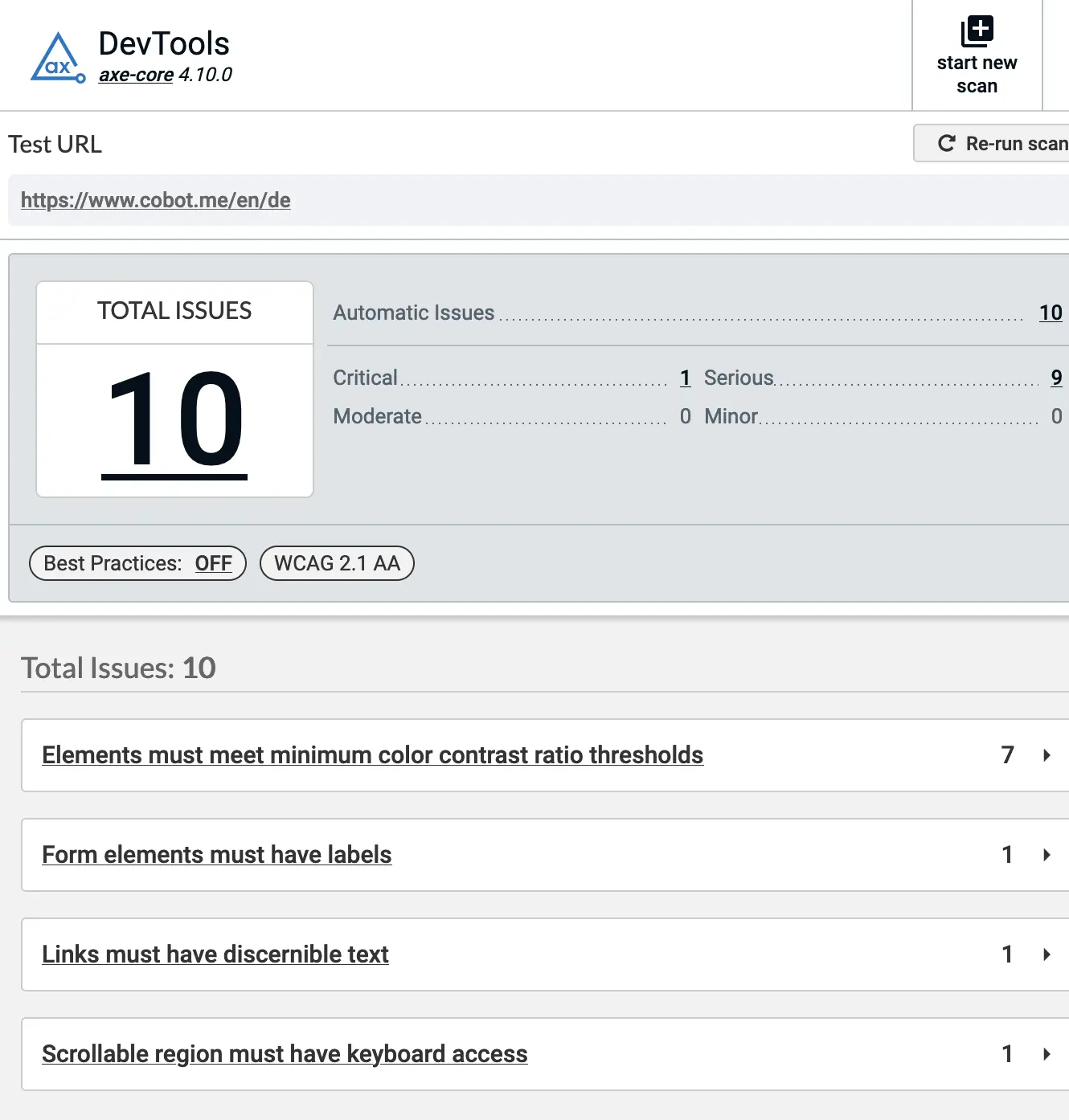
<figure class="image">
  <img src="/assets/images/axe.webp" alt="Screenshot of axe dev tools showing results of analyzing cobot.me - 10 issues" />
  <figcaption><p>Manual a11y testing using the axe dev tools browser extension.</p>
</figcaption>
</figure>

<p>For one, this gives us a goal to work towards (zero issues detected). It also helps to catch regressions or introduce new issues when developing new features.</p>

<!--more-->

<p>The kinds of issues I’m talking about are simple things like making sure every <code class="language-plaintext highlighter-rouge">&lt;input&gt;</code> tag has a matching <code class="language-plaintext highlighter-rouge">label</code>, images have <code class="language-plaintext highlighter-rouge">alt</code> attributes etc.
Slightly up the ladder are CSS issues like fonts being too small or the contrast between text and background being too weak.</p>

<p>Some of these can be caught with static analysis. Ember JS for example has <a href="https://github.com/ember-template-lint/ember-template-lint">ember-template-lint</a> which comes with a list of <a href="https://github.com/ember-template-lint/ember-template-lint/blob/master/lib/config/a11y.js">a11y rules</a>.</p>

<p>Because Rails uses <code class="language-plaintext highlighter-rouge">erb</code> for templating and generates at least some part of the HTML in Ruby - which is <a href="/software/better-erb-templates-in-rails-static-type-checking/">almost inaccessible to static analysis</a> - we can’t just lint our <code class="language-plaintext highlighter-rouge">.erb</code> templates.</p>

<div class="language-erb highlighter-rouge"><div class="highlight"><pre class="highlight"><code>Try
<span class="cp">&lt;%=</span> <span class="n">content_tag</span><span class="p">(</span><span class="ss">:span</span><span class="p">,</span> <span class="ss">class: </span><span class="s1">'b'</span><span class="p">)</span> <span class="p">{</span> <span class="s1">'analyzing'</span> <span class="p">}</span> <span class="cp">%&gt;</span>
<span class="cp">&lt;%</span> <span class="s1">'this'</span><span class="p">.</span><span class="nf">split</span><span class="p">(</span><span class="s1">''</span><span class="p">).</span><span class="nf">each</span> <span class="k">do</span> <span class="o">|</span><span class="n">letter</span><span class="o">|</span> <span class="cp">%&gt;&lt;%=</span> <span class="n">letter</span> <span class="cp">%&gt;&lt;%</span> <span class="k">end</span> <span class="cp">%&gt;</span>!
</code></pre></div></div>

<p>What we need is the HTML that comes out of them. Luckily we have a comprehensive source of rendered HTML: our suite of feature tests using <a href="https://github.com/teamcapybara/capybara">Capybara</a>. All we have to do is capture the HTML that is generated during a test run, write it to the file system and feed that into an a11y checker.</p>

<p>Most people who have used Capybara probably know the <a href="https://github.com/teamcapybara/capybara/blob/0480f90168a40780d1398c75031a255c1819dce8/lib/capybara/session.rb#L732"><code class="language-plaintext highlighter-rouge">save_and_open_page</code></a> helper, which lives in the <code class="language-plaintext highlighter-rouge">Capybara::Session</code> class. Conveniently there is also one called <code class="language-plaintext highlighter-rouge">save_page</code>.</p>

<p>The following code hooks into the various Capybara methods that result in HTML output (<code class="language-plaintext highlighter-rouge">visit</code>, <code class="language-plaintext highlighter-rouge">click_on</code> etc) and stores the HTML in a file.</p>

<p>To avoid generating multiple HTML files per controller/action, the HTML filename consists of the Rails URL with any ids replaced with static placeholders, resulting in only one HTML file per action. The downside here is that we will not capture each erb template in all its states.</p>

<p>We also generate the Rails assets, copy them into the same folder as the HTML files and change the CSS <code class="language-plaintext highlighter-rouge">&lt;link&gt;</code>s in the HTML to point to these - this allows us to look at the HTML with working CSS and surface any font size or color contrast issues.</p>

<div class="language-ruby highlighter-rouge"><div class="highlight"><pre class="highlight"><code><span class="k">module</span> <span class="nn">SaveVisitedPages</span>
  <span class="no">ID_REGEX</span> <span class="o">=</span> <span class="sr">/[0-9a-f]{32}/</span> <span class="c1"># change this depending on what id format your app uses</span>

  <span class="k">def</span> <span class="nf">visit</span><span class="p">(</span><span class="o">*</span><span class="p">,</span> <span class="o">**</span><span class="p">)</span>
    <span class="k">super</span>
    <span class="n">save_page_for_url</span>
  <span class="k">end</span>

  <span class="k">def</span> <span class="nf">click_link</span><span class="p">(</span><span class="o">*</span><span class="p">,</span> <span class="o">**</span><span class="p">)</span>
    <span class="k">super</span>
    <span class="n">save_page_for_url</span>
  <span class="k">end</span>

  <span class="k">def</span> <span class="nf">click_button</span><span class="p">(</span><span class="o">*</span><span class="p">,</span> <span class="o">**</span><span class="p">)</span>
    <span class="k">super</span>
    <span class="n">save_page_for_url</span>
  <span class="k">end</span>

  <span class="k">def</span> <span class="nf">click_on</span><span class="p">(</span><span class="o">*</span><span class="p">,</span> <span class="o">**</span><span class="p">)</span>
    <span class="k">super</span>
    <span class="n">save_page_for_url</span>
  <span class="k">end</span>

  <span class="k">def</span> <span class="nf">save_page</span><span class="p">(</span><span class="o">*</span><span class="p">,</span> <span class="o">**</span><span class="p">)</span>
    <span class="n">save_assets</span>
    <span class="c1"># change asset path to point to assets in the same directory (see save_assets)</span>
    <span class="k">def</span> <span class="nc">self</span><span class="o">.</span><span class="nf">body</span>
      <span class="p">(</span><span class="n">driver</span><span class="p">.</span><span class="nf">html</span> <span class="o">||</span> <span class="s1">''</span><span class="p">).</span><span class="nf">gsub</span><span class="p">(</span><span class="s1">'href="/assets'</span><span class="p">,</span> <span class="s1">'href="./assets'</span><span class="p">).</span><span class="nf">gsub</span><span class="p">(</span>
        <span class="s1">'src="/assets'</span><span class="p">,</span>
        <span class="s1">'src="./assets'</span>
      <span class="p">)</span>
    <span class="k">end</span>
    <span class="k">super</span>
  <span class="k">end</span>

  <span class="c1"># only save one file per URL so we don't get too many files/duplicate</span>
  <span class="c1"># issues for now</span>
  <span class="k">def</span> <span class="nf">save_page_for_url</span>
    <span class="k">return</span> <span class="k">unless</span> <span class="no">ENV</span><span class="p">[</span><span class="s1">'SAVE_VISITED_PAGES'</span><span class="p">]</span> <span class="c1"># we set this to true on CI and skip it on dev machines</span>
    <span class="k">return</span> <span class="k">unless</span> <span class="n">current_url</span> <span class="o">&amp;&amp;</span> <span class="n">body</span><span class="p">.</span><span class="nf">present?</span> <span class="c1"># i.e. for redirects</span>

    <span class="n">save_assets</span>
    <span class="n">request_method</span> <span class="o">=</span> <span class="n">driver</span><span class="p">.</span><span class="nf">try</span><span class="p">(</span><span class="ss">:request</span><span class="p">)</span><span class="o">&amp;</span><span class="p">.</span><span class="nf">request_method</span> <span class="o">||</span> <span class="s1">'NA'</span> <span class="c1"># js driver does not support request</span>
    <span class="n">uri</span> <span class="o">=</span> <span class="no">URI</span><span class="p">.</span><span class="nf">parse</span><span class="p">(</span><span class="n">current_url</span><span class="p">)</span>
    <span class="n">subdomain</span> <span class="o">=</span> <span class="n">uri</span><span class="p">.</span><span class="nf">hostname</span><span class="p">.</span><span class="nf">split</span><span class="p">(</span><span class="s1">'.'</span><span class="p">).</span><span class="nf">first</span>

    <span class="n">url_path</span> <span class="o">=</span> <span class="n">uri</span><span class="p">.</span><span class="nf">path</span>
    <span class="n">url_path</span><span class="p">.</span><span class="nf">gsub!</span><span class="p">(</span><span class="no">ID_REGEX</span><span class="p">,</span> <span class="s1">'1'</span><span class="p">)</span> <span class="c1"># replace UUIDs with a constant value so we don't get the same page multiple times</span>

    <span class="c1"># change asset path to point to assets in the same directory (see save_assets)</span>
    <span class="k">def</span> <span class="nc">self</span><span class="o">.</span><span class="nf">body</span>
      <span class="p">(</span><span class="n">driver</span><span class="p">.</span><span class="nf">html</span> <span class="o">||</span> <span class="s1">''</span><span class="p">).</span><span class="nf">gsub</span><span class="p">(</span><span class="s1">'href="/assets'</span><span class="p">,</span> <span class="s1">'href="./assets'</span><span class="p">).</span><span class="nf">gsub</span><span class="p">(</span>
        <span class="s1">'src="/assets'</span><span class="p">,</span>
        <span class="s1">'src="./assets'</span>
      <span class="p">)</span>
    <span class="k">end</span>

    <span class="n">file_path</span> <span class="o">=</span>
      <span class="s2">"</span><span class="si">#{</span><span class="n">request_method</span><span class="si">}</span><span class="s2">!!</span><span class="si">#{</span><span class="n">subdomain</span><span class="si">}</span><span class="s2">!!</span><span class="si">#{</span><span class="n">url_path</span><span class="p">.</span><span class="nf">gsub</span><span class="p">(</span><span class="s1">'/'</span><span class="p">,</span> <span class="s1">'--'</span><span class="p">).</span><span class="nf">gsub</span><span class="p">(</span><span class="sr">/[^\w-]+/</span><span class="p">,</span> <span class="s1">'-'</span><span class="p">)[</span><span class="mi">0</span><span class="p">,</span> <span class="mi">100</span><span class="p">]</span><span class="si">}</span><span class="s2">.html"</span>
    <span class="n">save_page</span><span class="p">(</span><span class="n">file_path</span><span class="p">)</span>
  <span class="k">end</span>

  <span class="k">def</span> <span class="nf">save_assets</span>
    <span class="n">assets_path</span> <span class="o">=</span> <span class="n">config</span><span class="p">.</span><span class="nf">save_path</span><span class="p">.</span><span class="nf">join</span><span class="p">(</span><span class="s1">'assets'</span><span class="p">)</span> <span class="c1"># save_path is where the html files go</span>
    <span class="n">rails_assets_path</span> <span class="o">=</span> <span class="no">Rails</span><span class="p">.</span><span class="nf">public_path</span><span class="p">.</span><span class="nf">join</span><span class="p">(</span><span class="s1">'assets'</span><span class="p">)</span>
    <span class="k">return</span> <span class="k">if</span> <span class="n">assets_path</span><span class="p">.</span><span class="nf">exist?</span> <span class="c1"># only generate assets if they are missing</span>

    <span class="k">unless</span> <span class="n">rails_assets_path</span><span class="p">.</span><span class="nf">exist?</span>
      <span class="nb">puts</span><span class="p">(</span><span class="s1">'Generating assets for Capybara saved pages...'</span><span class="p">)</span>
      <span class="sb">`</span><span class="si">#{</span><span class="no">Rails</span><span class="p">.</span><span class="nf">root</span><span class="p">.</span><span class="nf">join</span><span class="p">(</span><span class="s1">'bin/rails'</span><span class="p">)</span><span class="si">}</span><span class="sb"> assets:precompile`</span>
    <span class="k">end</span>
    <span class="no">FileUtils</span><span class="p">.</span><span class="nf">mv</span><span class="p">(</span><span class="n">rails_assets_path</span><span class="p">,</span> <span class="n">config</span><span class="p">.</span><span class="nf">save_path</span><span class="p">)</span>
  <span class="k">end</span>
<span class="k">end</span>

<span class="no">Capybara</span><span class="o">::</span><span class="no">Session</span><span class="p">.</span><span class="nf">prepend</span><span class="p">(</span><span class="no">SaveVisitedPages</span><span class="p">)</span>
</code></pre></div></div>

<p>After including the above code in our test suite and running tests, we get a long list of HTML files in <code class="language-plaintext highlighter-rouge">tmp/capybara</code>. We can look at them in a browser and run for example the <a href="https://www.deque.com/axe/devtools/web-accessibility/">axe dev tools</a> browser extension.</p>

<p>Or we can run some automated testing: enter <a href="https://github.com/pa11y/pa11y">pa11y</a> and its sibling (child?) project <a href="https://github.com/pa11y/pa11y-ci">pa11y-ci</a>. Pa11y lets you run a11y tests from the command line and write the results to various machine and human readable formats.</p>

<p>We use GitHub Actions for CI, so this is what our (simplified) workflow looks like:</p>

<p>.github/workflows/ruby.yml:</p>

<div class="language-yaml highlighter-rouge"><div class="highlight"><pre class="highlight"><code><span class="na">jobs</span><span class="pi">:</span>
  <span class="na">test</span><span class="pi">:</span>
    <span class="na">runs-on</span><span class="pi">:</span> <span class="s">ubuntu-latest</span>
    <span class="na">steps</span><span class="pi">:</span>
      <span class="pi">-</span> <span class="na">uses</span><span class="pi">:</span> <span class="s">actions/checkout@v4</span>
      <span class="pi">-</span> <span class="na">name</span><span class="pi">:</span> <span class="s">Run tests</span>
        <span class="na">run</span><span class="pi">:</span> <span class="s">SAVE_VISITED_PAGES=true bundle exec rake test</span>
      <span class="pi">-</span> <span class="na">name</span><span class="pi">:</span> <span class="s">Copy Capybara HTML files</span>
        <span class="na">uses</span><span class="pi">:</span> <span class="s">actions/upload-artifact@v4</span>
        <span class="na">with</span><span class="pi">:</span>
          <span class="na">name</span><span class="pi">:</span> <span class="s">capybara-html</span>
          <span class="na">path</span><span class="pi">:</span> <span class="s">tmp/capybara</span>
  <span class="na">pa11y</span><span class="pi">:</span>
    <span class="na">needs</span><span class="pi">:</span>
      <span class="pi">-</span> <span class="s">test</span>
    <span class="na">runs-on</span><span class="pi">:</span> <span class="s">ubuntu-20.04</span> <span class="c1"># see https://github.com/pa11y/pa11y-ci/issues/198#issuecomment-1418343240</span>
    <span class="na">steps</span><span class="pi">:</span>
      <span class="pi">-</span> <span class="na">uses</span><span class="pi">:</span> <span class="s">actions/checkout@v4</span>
      <span class="pi">-</span> <span class="na">name</span><span class="pi">:</span> <span class="s">Download Capybara HTML files</span>
        <span class="na">uses</span><span class="pi">:</span> <span class="s">actions/download-artifact@v4</span>
        <span class="na">with</span><span class="pi">:</span>
          <span class="na">name</span><span class="pi">:</span> <span class="s">capybara-html</span>
          <span class="na">path</span><span class="pi">:</span> <span class="s">tmp/capybara</span>
      <span class="pi">-</span> <span class="na">name</span><span class="pi">:</span> <span class="s">Run pa11y</span>
        <span class="na">run</span><span class="pi">:</span> <span class="pi">|</span>
          <span class="s">cd pa11y</span>
          <span class="s">yarn</span>
          <span class="s">yarn pa11y-ci ../tmp/capybara/*.html</span>
      <span class="pi">-</span> <span class="na">name</span><span class="pi">:</span> <span class="s">Add pa11y report to summary</span>
        <span class="na">if</span><span class="pi">:</span> <span class="s">always()</span>
        <span class="na">run</span><span class="pi">:</span> <span class="pi">|</span>
          <span class="s">cd pa11y</span>
          <span class="s">cat ./pa11y-cli-report.md &gt;&gt; $GITHUB_STEP_SUMMARY</span>
</code></pre></div></div>

<p>We also need to add <a href="https://gist.github.com/langalex/52c3e973b7ad8d5d5ba28cc815dad2b5">these files</a> to a <code class="language-plaintext highlighter-rouge">pa11y/</code> folder within the project. These consist of a <code class="language-plaintext highlighter-rouge">package.json</code> file so that we can install <code class="language-plaintext highlighter-rouge">pa11y</code> from npm, a config file and a custom report that outputs HTML for GitHub.</p>

<p>The last step in the workflow file <a href="https://github.blog/news-insights/product-news/supercharging-github-actions-with-job-summaries/">adds the report to the summary page of the GitHub Actions run</a>:</p>

<figure class="image">
  <img src="/assets/images/pa11y-report.webp" alt="Screenshot of pa11y report on GitHub" />
  <figcaption><p>The pa11y report generated from our Capybara HTML files.</p>
</figcaption>
</figure>

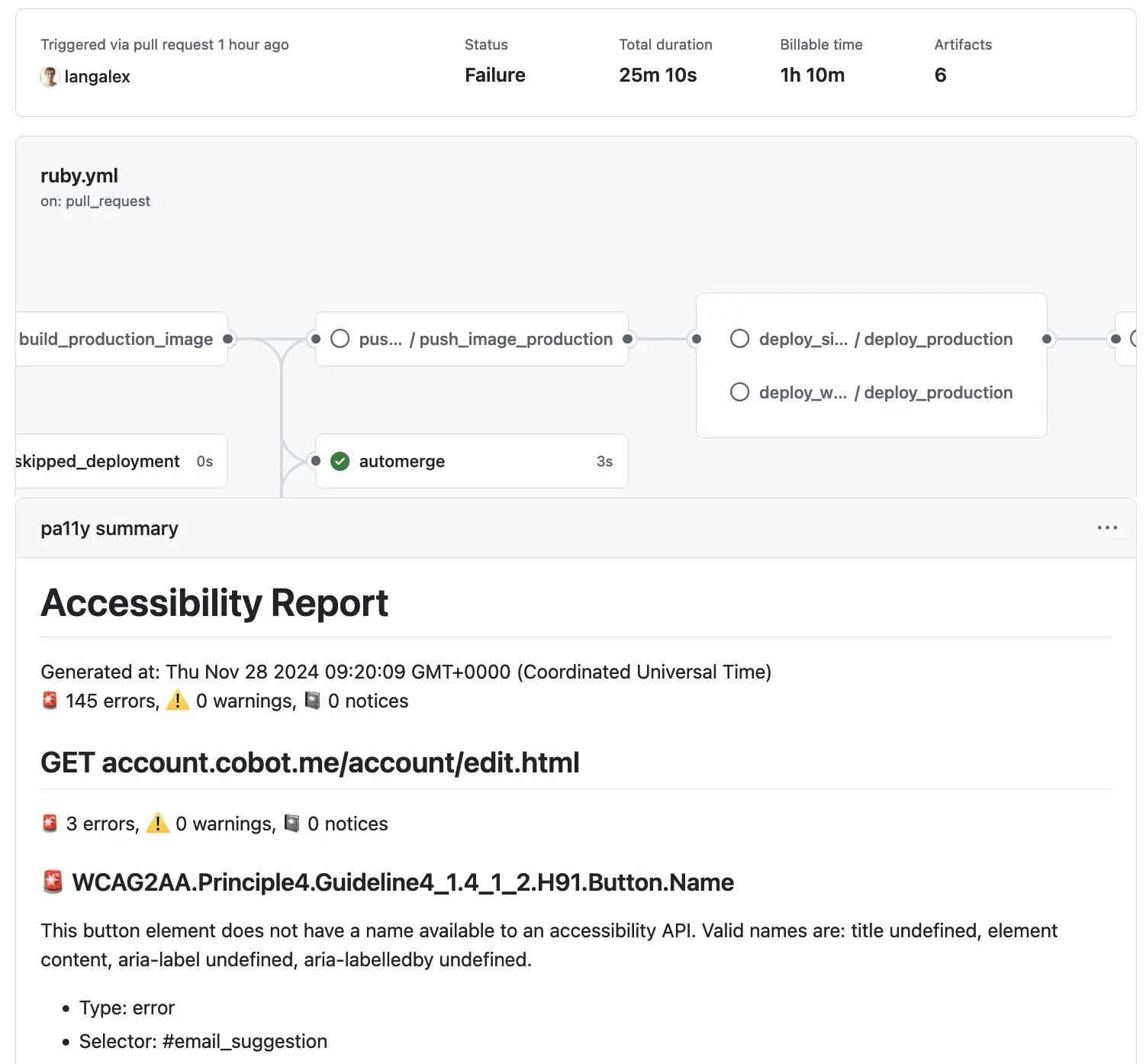
<p>And that’s it. Automated a11y issue reporting on CI.</p>

<p>Now we just need to start the actual work of getting those 145 errors down to zero. And then we can mark the pa11y job as a required check for merging pull requests.</p>]]></content><author><name>Alexander Lang</name></author><category term="Software" /><category term="Ruby" /><category term="Ruby on Rails" /><category term="a11y" /><category term="pa11y" /><category term="testing" /><category term="CI" /><summary type="html"><![CDATA[We just launched a project at Cobot to improve the accessibility (a11y) of our site. While getting a11y right is a complex topic and involves a lot of research and manual testing, a certain baseline of compliance testing can be automated - and be added to our CI test suite. Manual a11y testing using the axe dev tools browser extension. For one, this gives us a goal to work towards (zero issues detected). It also helps to catch regressions or introduce new issues when developing new features.]]></summary></entry><entry><title type="html">Better erb templates in Rails: static type checking</title><link href="https://alex.langs.berlin/software/better-erb-templates-in-rails-static-type-checking/" rel="alternate" type="text/html" title="Better erb templates in Rails: static type checking" /><published>2024-11-17T00:00:00+01:00</published><updated>2024-11-17T00:00:00+01:00</updated><id>https://alex.langs.berlin/software/better-erb-templates-in-rails-static-type-checking</id><content type="html" xml:base="https://alex.langs.berlin/software/better-erb-templates-in-rails-static-type-checking/"><![CDATA[<p>A while ago I started ~complaining~ thinking about how the default erb views in Ruby on Rails could be improved.</p>

<p>Some context: at Cobot we run a Rails app that was started in 2009 and has about 1000 <code class="language-plaintext highlighter-rouge">.html.erb</code> files, including partials and <a href="https://viewcomponent.org/">component views</a>.</p>

<p>I had identified the following issues:</p>

<ul>
  <li>The syntax is very complex due to the fact that any Ruby construct can be embedded.
    <ul>
      <li>This makes it harder to read/write views.</li>
      <li>and also for <a href="https://prettier.io/">tools to format them</a>, or do auto-completion, syntax highlighting etc.</li>
    </ul>
  </li>
  <li>Correctness of HTML (think missing closing tags) cannot be verified by tools.</li>
  <li>I rarely write tests for views (mostly only via <a href="http://teamcapybara.github.io/capybara/">feature tests</a>) so confidence in their correctness (also in conjunction with their associated controller) is not very high - I’m also not really planning to get into it.</li>
</ul>

<!--more-->

<p>I like that it’s still HTML (and our designers agree), but I find the Ruby in there problematic.
In our frontend <a href="https://emberjs.com/">Ember JS</a> apps we use <a href="https://glimmerjs.github.io/glimmer-experimental/">Glimmer</a>, which uses the same syntax as <a href="https://handlebarsjs.com/playground.html">Handlebars</a>:</p>

<div class="language-hbs highlighter-rouge"><div class="highlight"><pre class="highlight"><code><span class="k">{{#if</span> <span class="nv">myCondition</span><span class="k">}}</span>
  <span class="nt">&lt;p&gt;</span><span class="k">{{</span><span class="nv">firstname</span><span class="k">}}</span> <span class="k">{{</span><span class="nv">loud</span> <span class="nv">lastname</span><span class="k">}}</span><span class="nt">&lt;/p&gt;</span>
<span class="k">{{/if}}</span>
</code></pre></div></div>

<p>I like the concept of having a limited syntax for control flow and callig into code on top of HTML.</p>

<p>Not too long ago we added <a href="https://typed-ember.gitbook.io/glint">glint</a> to our Ember stack, which together with TypeScript gives us static type checking in our Glimmer templates. Very nice.</p>

<p><strong>And that gave me the idea that lead to this post:</strong> we already use <a href="https://sorbet.org/">Sorbet</a> for type checking our Ruby code. If we could have type checking for our Rails views as well, that would give us much more confidence - without having to write tests for them.</p>

<p>So far, I haven’t figured out a way to do this with controllers since the interface between them and views is just too fuzzy. But for view components it was actually easy.</p>

<p>The following code makes a copy of each component’s Ruby class, compiles the associated <code class="language-plaintext highlighter-rouge">.erb</code> file to Ruby and embeds it into the class as a method:</p>

<div class="language-ruby highlighter-rouge"><div class="highlight"><pre class="highlight"><code><span class="nb">require</span> <span class="s1">'pathname'</span>

<span class="k">class</span> <span class="nc">ComponentViewCompiler</span>
  <span class="no">INITIALIZE_METHOD_REGEX</span> <span class="o">=</span> <span class="sr">/def initialize.*?end/m</span>
  <span class="no">COMPONENTS_PATH</span> <span class="o">=</span> <span class="no">Pathname</span><span class="p">.</span><span class="nf">new</span><span class="p">(</span><span class="s1">'app/components'</span><span class="p">)</span>

  <span class="k">def</span> <span class="nf">initialize</span><span class="p">(</span><span class="n">target_dir</span><span class="p">)</span>
    <span class="vi">@target_dir</span> <span class="o">=</span> <span class="n">target_dir</span>
    <span class="no">FileUtils</span><span class="p">.</span><span class="nf">mkdir_p</span><span class="p">(</span><span class="vi">@target_dir</span><span class="p">)</span>
  <span class="k">end</span>

  <span class="k">def</span> <span class="nf">compile_components</span>
    <span class="no">COMPONENTS_PATH</span>
      <span class="p">.</span><span class="nf">glob</span><span class="p">(</span><span class="s1">'**/*.html.erb'</span><span class="p">)</span>
      <span class="p">.</span><span class="nf">each</span> <span class="k">do</span> <span class="o">|</span><span class="n">view_file</span><span class="o">|</span>
        <span class="n">class_file</span> <span class="o">=</span> <span class="n">view_file</span><span class="p">.</span><span class="nf">sub_ext</span><span class="p">(</span><span class="s1">''</span><span class="p">).</span><span class="nf">sub_ext</span><span class="p">(</span><span class="s1">'.rb'</span><span class="p">)</span>
        <span class="n">compile_component</span><span class="p">(</span><span class="n">view_file</span><span class="p">,</span> <span class="n">class_file</span><span class="p">)</span>
      <span class="k">end</span>
  <span class="k">end</span>

  <span class="kp">private</span>

  <span class="k">def</span> <span class="nf">compile_component</span><span class="p">(</span><span class="n">view_file</span><span class="p">,</span> <span class="n">class_file</span><span class="p">)</span>
    <span class="n">view</span> <span class="o">=</span> <span class="no">File</span><span class="p">.</span><span class="nf">read</span><span class="p">(</span><span class="n">view_file</span><span class="p">)</span>
    <span class="n">compiled_view</span> <span class="o">=</span> <span class="n">compile_view</span><span class="p">(</span><span class="n">view</span><span class="p">)</span>
    <span class="n">code</span> <span class="o">=</span> <span class="no">File</span><span class="p">.</span><span class="nf">read</span><span class="p">(</span><span class="n">class_file</span><span class="p">)</span>
    <span class="n">call_method</span> <span class="o">=</span>
      <span class="s2">"</span><span class="se">\n\n</span><span class="s2">sig { void }</span><span class="se">\n</span><span class="s2">def call</span><span class="se">\n</span><span class="s2">output_buffer = ActionView::OutputBuffer.new</span><span class="se">\n</span><span class="si">#{</span>
        <span class="n">compiled_view</span><span class="p">.</span><span class="nf">gsub</span><span class="p">(</span><span class="s1">'@output_buffer'</span><span class="p">,</span> <span class="s1">'output_buffer'</span><span class="p">)</span>
      <span class="si">}</span><span class="se">\n</span><span class="s2">end</span><span class="se">\n</span><span class="s2">"</span>
    <span class="n">index</span> <span class="o">=</span> <span class="n">code</span><span class="p">.</span><span class="nf">match</span><span class="p">(</span><span class="no">INITIALIZE_METHOD_REGEX</span><span class="p">).</span><span class="nf">end</span><span class="p">(</span><span class="mi">0</span><span class="p">)</span>
    <span class="n">code</span><span class="p">.</span><span class="nf">insert</span><span class="p">(</span><span class="n">index</span><span class="p">,</span> <span class="n">call_method</span><span class="p">)</span> <span class="c1"># yes this is ugly. will break with no or multiple initialize methods, e.g. nested classes. but it works.</span>
    <span class="n">target_file</span> <span class="o">=</span>
      <span class="vi">@target_dir</span><span class="p">.</span><span class="nf">join</span><span class="p">(</span><span class="n">class_file</span><span class="p">.</span><span class="nf">relative_path_from</span><span class="p">(</span><span class="no">COMPONENTS_PATH</span><span class="p">))</span>
    <span class="no">FileUtils</span><span class="p">.</span><span class="nf">mkdir_p</span><span class="p">(</span><span class="no">File</span><span class="p">.</span><span class="nf">dirname</span><span class="p">(</span><span class="n">target_file</span><span class="p">))</span>
    <span class="no">File</span><span class="p">.</span><span class="nf">write</span><span class="p">(</span><span class="n">target_file</span><span class="p">,</span> <span class="n">code</span><span class="p">)</span>
  <span class="k">end</span>

  <span class="k">def</span> <span class="nf">compile_view</span><span class="p">(</span><span class="n">view</span><span class="p">)</span>
    <span class="n">handler</span> <span class="o">=</span> <span class="no">ActionView</span><span class="o">::</span><span class="no">Template</span><span class="p">.</span><span class="nf">handler_for_extension</span><span class="p">(</span><span class="s1">'erb'</span><span class="p">)</span>
    <span class="n">handler</span><span class="p">.</span><span class="nf">call</span><span class="p">(</span><span class="no">OpenStruct</span><span class="p">.</span><span class="nf">new</span><span class="p">(</span><span class="ss">type: </span><span class="s1">'erb'</span><span class="p">),</span> <span class="n">view</span><span class="p">)</span>
  <span class="k">end</span>
<span class="k">end</span>
</code></pre></div></div>

<p>Given a simple component:</p>

<p><em>my_component.rb</em>:</p>

<div class="language-ruby highlighter-rouge"><div class="highlight"><pre class="highlight"><code><span class="c1"># typed: true</span>

<span class="k">class</span> <span class="nc">MyComponent</span> <span class="o">&lt;</span> <span class="no">ApplicationComponent</span>
  <span class="kp">extend</span> <span class="no">T</span><span class="o">::</span><span class="no">Sig</span> <span class="c1"># add sorbet</span>

  <span class="n">sig</span> <span class="p">{</span> <span class="n">params</span><span class="p">(</span><span class="ss">name: </span><span class="no">String</span><span class="p">).</span><span class="nf">void</span> <span class="p">}</span> <span class="c1"># sorbet method signature</span>
  <span class="k">def</span> <span class="nf">initialize</span><span class="p">(</span><span class="nb">name</span><span class="p">)</span>
    <span class="k">super</span>
    <span class="vi">@name</span> <span class="o">=</span> <span class="nb">name</span>
  <span class="k">end</span>

  <span class="n">sig</span> <span class="p">{</span> <span class="n">returns</span><span class="p">(</span><span class="no">String</span><span class="p">)</span> <span class="p">}</span> <span class="c1"># sorbet signature</span>
  <span class="nb">attr_reader</span> <span class="ss">:name</span>
<span class="k">end</span>
</code></pre></div></div>

<p><em>my_component.html.erb</em>:</p>

<div class="language-erb highlighter-rouge"><div class="highlight"><pre class="highlight"><code>Hello <span class="cp">&lt;%=</span> <span class="n">namne</span> <span class="cp">%&gt;</span>
</code></pre></div></div>

<p>This will be compiled to:</p>

<p><em>compiled_components/my_component.rb</em>:</p>

<div class="language-ruby highlighter-rouge"><div class="highlight"><pre class="highlight"><code><span class="c1"># typed: true</span>

<span class="k">class</span> <span class="nc">MyComponent</span> <span class="o">&lt;</span> <span class="no">ApplicationComponent</span>
  <span class="kp">extend</span> <span class="no">T</span><span class="o">::</span><span class="no">Sig</span> <span class="c1"># add sorbet</span>

  <span class="n">sig</span> <span class="p">{</span> <span class="n">params</span><span class="p">(</span><span class="ss">name: </span><span class="no">String</span><span class="p">).</span><span class="nf">void</span> <span class="p">}</span> <span class="c1"># sorbet method signature</span>
  <span class="k">def</span> <span class="nf">initialize</span><span class="p">(</span><span class="nb">name</span><span class="p">)</span>
    <span class="k">super</span>
    <span class="vi">@name</span> <span class="o">=</span> <span class="nb">name</span>
  <span class="k">end</span>

  <span class="n">sig</span> <span class="p">{</span> <span class="n">void</span> <span class="p">}</span>
  <span class="k">def</span> <span class="nf">call</span>
    <span class="n">output_buffer</span> <span class="o">=</span> <span class="no">ActionView</span><span class="o">::</span><span class="no">OutputBuffer</span><span class="p">.</span><span class="nf">new</span>
    <span class="n">output_buffer</span><span class="p">.</span><span class="nf">safe_append</span><span class="o">=</span><span class="s1">'hello'</span><span class="p">.</span><span class="nf">freeze</span><span class="p">;</span> <span class="n">output_buffer</span><span class="p">.</span><span class="nf">append</span><span class="o">=</span><span class="p">(</span> <span class="n">namne</span> <span class="p">)</span>
    <span class="n">output_buffer</span>
  <span class="k">end</span>

  <span class="n">sig</span> <span class="p">{</span> <span class="n">returns</span><span class="p">(</span><span class="no">String</span><span class="p">)</span> <span class="p">}</span> <span class="c1"># sorbet signature</span>
  <span class="nb">attr_reader</span> <span class="ss">:name</span>
<span class="k">end</span>
</code></pre></div></div>

<p>The resulting file can be typechecked by sorbet (or <a href="https://github.com/soutaro/steep">steep</a> if you prefer):</p>

<div class="language-sh highlighter-rouge"><div class="highlight"><pre class="highlight"><code><span class="nv">$ </span>srb tc

compiled_components/my_component.rb:15: Method namne does not exist on MyComponent https://srb.help/7003
    15 |    output_buffer.safe_append<span class="o">=</span><span class="s1">'hello'</span>.freeze<span class="p">;</span> output_buffer.append<span class="o">=(</span> namne <span class="o">)</span>
                                                                             ^^^^^
  Did you mean name? Use <span class="nt">-a</span> to autocorrect
    compiled_components/my_component.rb:15: Replace with name
    15 |    output_buffer.safe_append<span class="o">=</span><span class="s1">'hello'</span>.freeze<span class="p">;</span> output_buffer.append<span class="o">=(</span> namne <span class="o">)</span>
                                                                             ^^^^^
    compiled_components/my_component.rb:20: Defined here
    20 |  attr_reader :name
          ^^^^^^^^^^^^^^^^^
</code></pre></div></div>

<p>And as you can see I made a typo in the template.</p>

<p>The downside here is that any type errors point to the compiled class, so nether the filename nor the line number in the error message are correct.</p>

<p>But it’s a start. And to get around the part where this is not working for controllers, we just convert any complex and/or very important view into a component.</p>

<p>As a bonus, I added the component compiler to <a href="https://railsnotes.xyz/blog/procfile-bin-dev-rails7">Procfile.dev</a>, so now as long as <code class="language-plaintext highlighter-rouge">bin/rails</code> is running, the compiled components are kept up-to-date automatically.</p>

<p><em>Procfile.dev</em>:</p>

<div class="language-yaml highlighter-rouge"><div class="highlight"><pre class="highlight"><code><span class="na">compiled_component_views</span><span class="pi">:</span> <span class="s">npx -y watch "rails sorbet:compile_component_views" app/components</span>
</code></pre></div></div>

<p><em>sorbet.rake</em>:</p>

<div class="language-ruby highlighter-rouge"><div class="highlight"><pre class="highlight"><code><span class="c1"># typed: false</span>

<span class="n">namespace</span> <span class="ss">:sorbet</span> <span class="k">do</span>
  <span class="n">desc</span> <span class="s1">'Generate Ruby code from component views for Sorbet. This allows to type-check component views.'</span>
  <span class="n">task</span> <span class="ss">:compile_component_views</span> <span class="k">do</span>
    <span class="nb">require</span> <span class="s1">'pathname'</span>
    <span class="nb">require</span> <span class="s1">'fileutils'</span>
    <span class="nb">require_relative</span> <span class="s1">'../component_view_compiler'</span>

    <span class="nb">puts</span> <span class="s1">'Compiling component views'</span>
    <span class="n">dir</span> <span class="o">=</span> <span class="no">Pathname</span><span class="p">.</span><span class="nf">new</span><span class="p">(</span><span class="s1">'compiled_components'</span><span class="p">)</span>
    <span class="no">FileUtils</span><span class="p">.</span><span class="nf">rm_rf</span><span class="p">(</span><span class="n">dir</span><span class="p">)</span>
    <span class="n">compiler</span> <span class="o">=</span> <span class="no">ComponentViewCompiler</span><span class="p">.</span><span class="nf">new</span><span class="p">(</span><span class="n">dir</span><span class="p">)</span>
    <span class="n">compiler</span><span class="p">.</span><span class="nf">compile_components</span>
  <span class="k">end</span>
<span class="k">end</span>

</code></pre></div></div>

<p>The same Rake task also runs on CI.</p>

<p>Happy static type checking!</p>]]></content><author><name>Alexander Lang</name></author><category term="Software" /><category term="Ruby" /><category term="Ruby on Rails" /><category term="sorbet" /><category term="erb" /><category term="Static Typing" /><summary type="html"><![CDATA[A while ago I started ~complaining~ thinking about how the default erb views in Ruby on Rails could be improved. Some context: at Cobot we run a Rails app that was started in 2009 and has about 1000 .html.erb files, including partials and component views. I had identified the following issues: The syntax is very complex due to the fact that any Ruby construct can be embedded. This makes it harder to read/write views. and also for tools to format them, or do auto-completion, syntax highlighting etc. Correctness of HTML (think missing closing tags) cannot be verified by tools. I rarely write tests for views (mostly only via feature tests) so confidence in their correctness (also in conjunction with their associated controller) is not very high - I’m also not really planning to get into it.]]></summary></entry><entry><title type="html">Mini Boat Yard Episode 9 - completing the hull</title><link href="https://alex.langs.berlin/making%20boats/mini-boat-yard-episode-9/" rel="alternate" type="text/html" title="Mini Boat Yard Episode 9 - completing the hull" /><published>2017-08-06T00:00:00+02:00</published><updated>2017-08-06T00:00:00+02:00</updated><id>https://alex.langs.berlin/making%20boats/mini-boat-yard-episode-9</id><content type="html" xml:base="https://alex.langs.berlin/making%20boats/mini-boat-yard-episode-9/"><![CDATA[<iframe width="560" height="315" src="https://www.youtube.com/embed/FgTv-_gXcbY" frameborder="0" allowfullscreen=""></iframe>

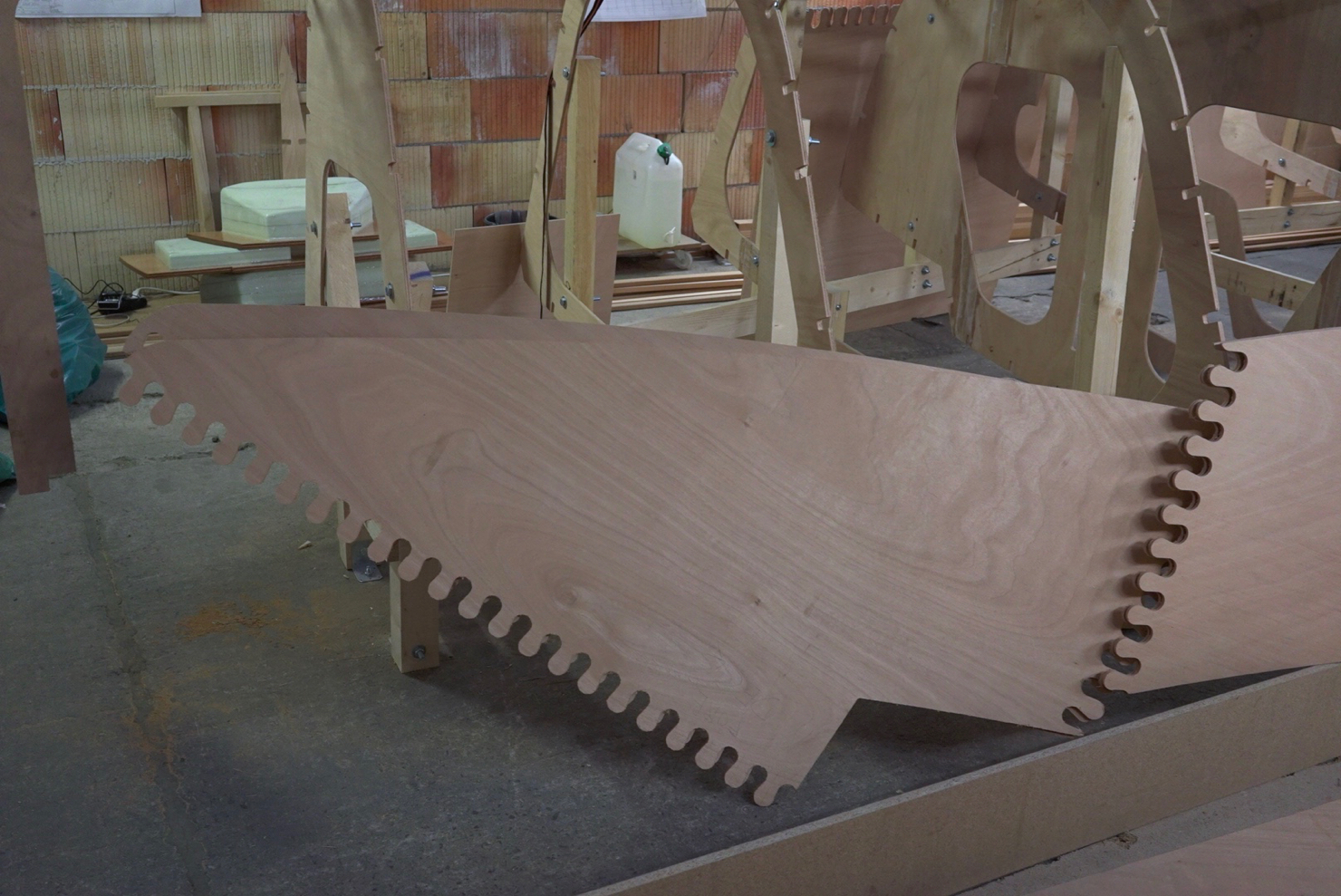
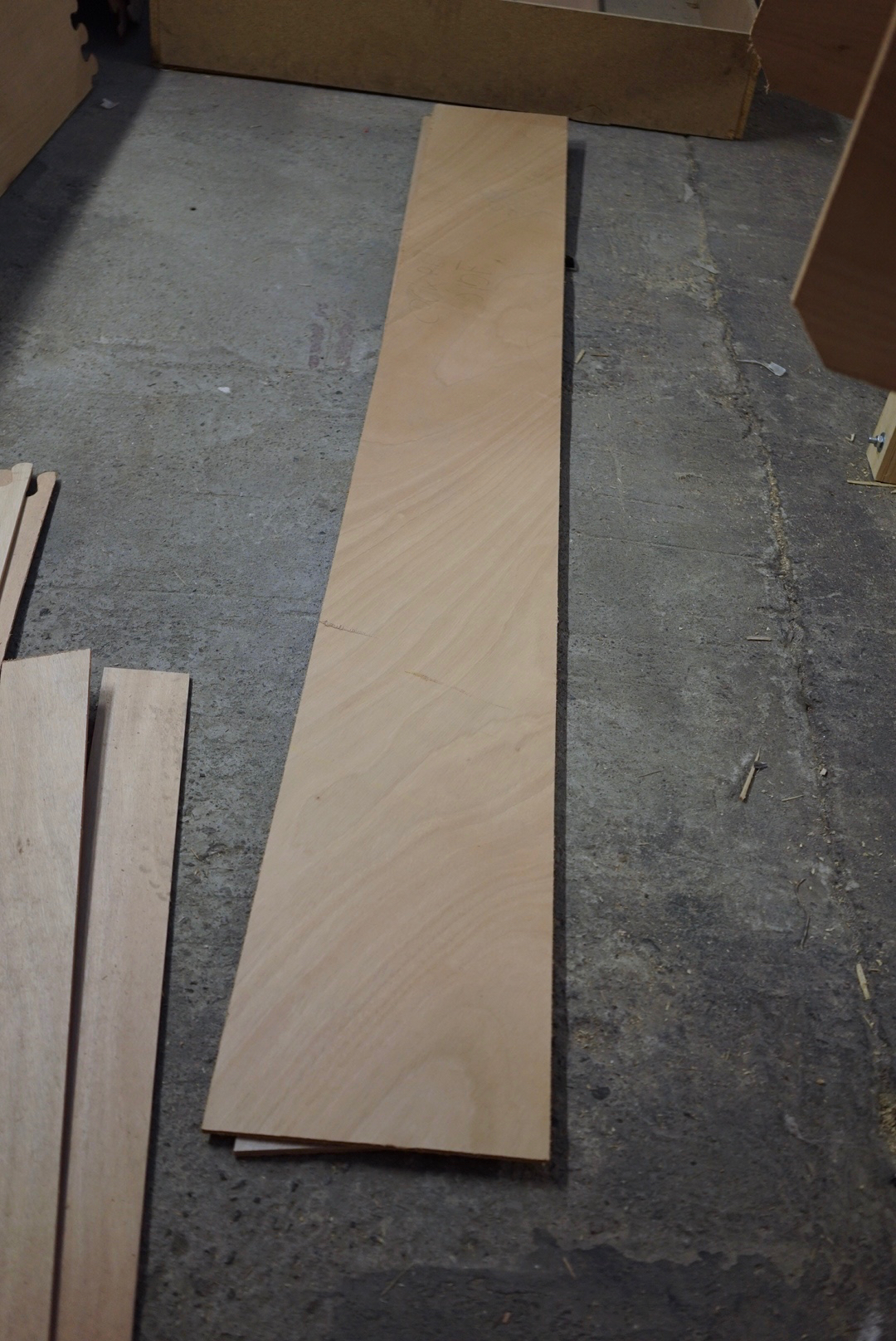
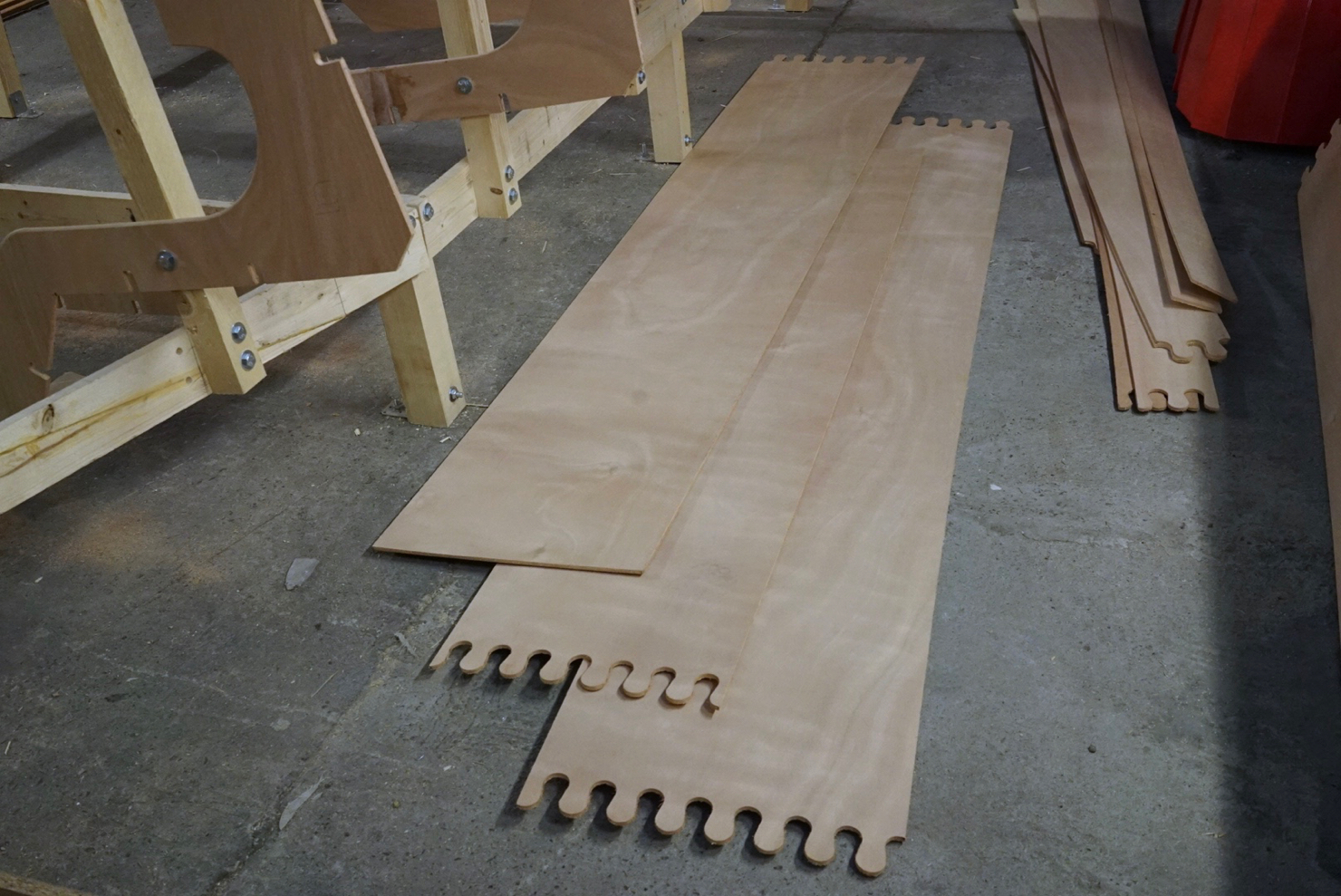
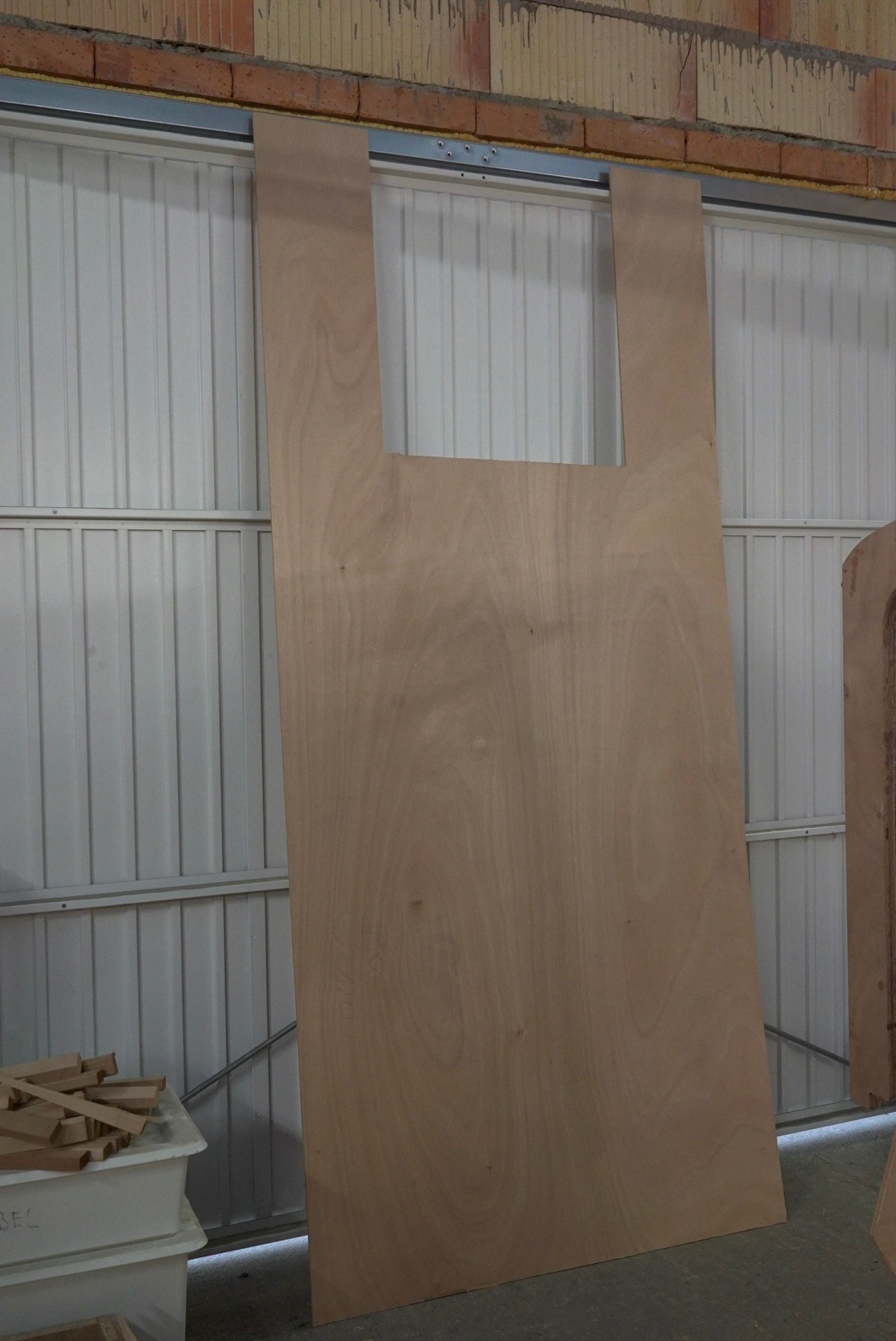
<p>Finished the hull! I started by glueing the pre-cut 6mm plywood panels from the kit to the stringers. There were panels for the sides and the bottom. For the round section in-between, I had to cut my own panels. Because of the tight curve, these are only 3mm thick, and I had to apply two layers.</p>

<p>Next up, turning the hull and then working on the inside.</p>]]></content><author><name>Alexander Lang</name></author><category term="Making Boats" /><category term="miniboatyard" /><category term="hull" /><category term="panels" /><summary type="html"><![CDATA[]]></summary></entry><entry><title type="html">Mini Boat Yard Episode 8 - installing the longitudinals</title><link href="https://alex.langs.berlin/making%20boats/mini-boat-yard-episode-8/" rel="alternate" type="text/html" title="Mini Boat Yard Episode 8 - installing the longitudinals" /><published>2016-09-29T21:00:00+02:00</published><updated>2016-09-29T21:00:00+02:00</updated><id>https://alex.langs.berlin/making%20boats/mini-boat-yard-episode-8</id><content type="html" xml:base="https://alex.langs.berlin/making%20boats/mini-boat-yard-episode-8/"><![CDATA[<p>I’m done adding all the longitudinals to the hull! This included all the stringers, the two tangents per side and the sheer clamps.</p>

<p>Next up, adding the hull panels.</p>

<iframe width="560" height="315" src="https://www.youtube.com/embed/LBlOf8CL0ew" frameborder="0" allowfullscreen=""></iframe>]]></content><author><name>Alexander Lang</name></author><category term="Making Boats" /><category term="miniboatyard" /><category term="longitudinals" /><category term="stringers" /><category term="tangents" /><category term="sheer clamps" /><summary type="html"><![CDATA[I’m done adding all the longitudinals to the hull! This included all the stringers, the two tangents per side and the sheer clamps.]]></summary></entry><entry><title type="html">Did Mini MK3 kit - which part goes where</title><link href="https://alex.langs.berlin/making%20boats/didi-mini-kit-what-goes-where/" rel="alternate" type="text/html" title="Did Mini MK3 kit - which part goes where" /><published>2016-04-01T21:57:00+02:00</published><updated>2016-04-01T21:57:00+02:00</updated><id>https://alex.langs.berlin/making%20boats/didi-mini-kit-what-goes-where</id><content type="html" xml:base="https://alex.langs.berlin/making%20boats/didi-mini-kit-what-goes-where/"><![CDATA[<p><img src="/assets/photos/kit-6.jpg" /></p>

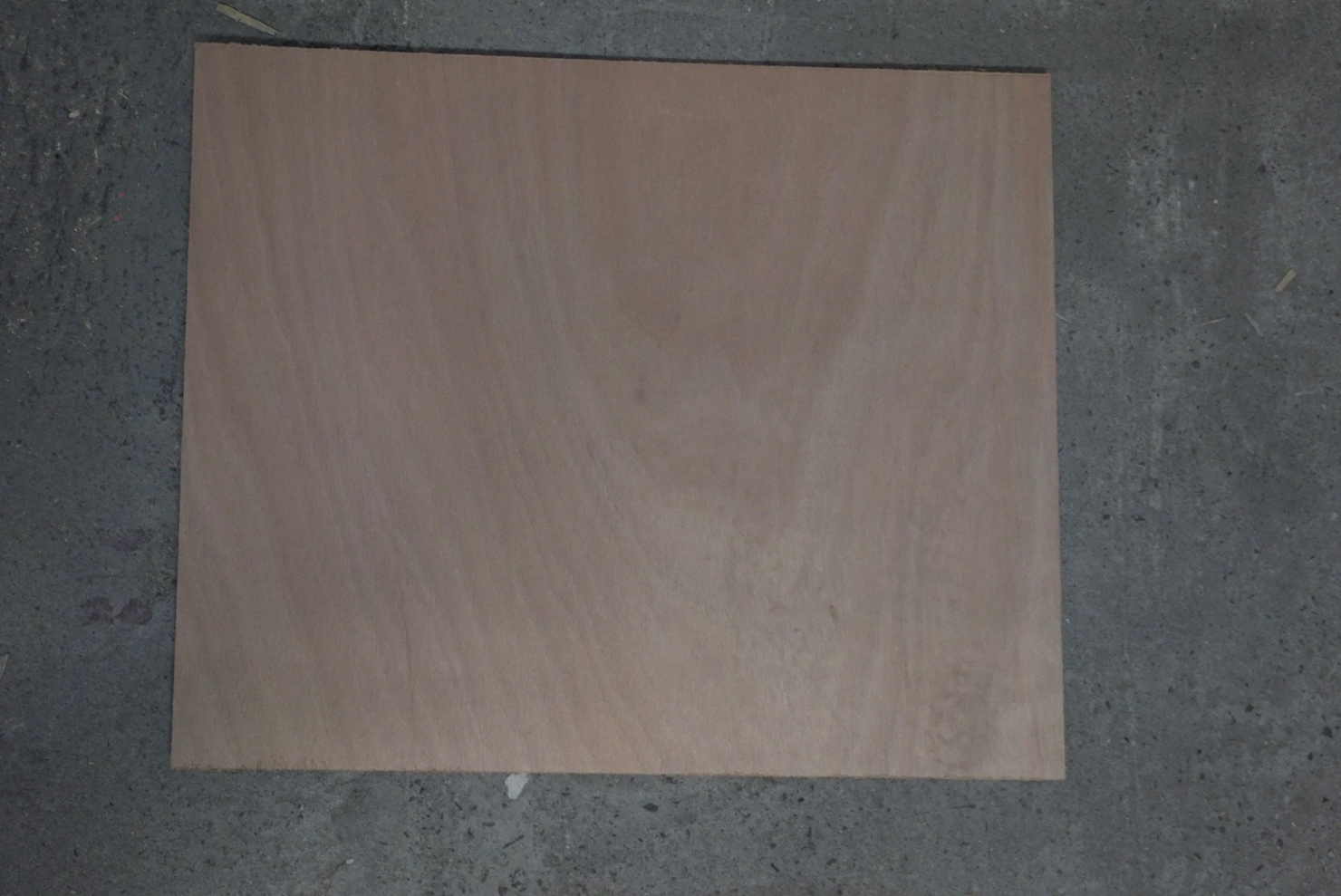
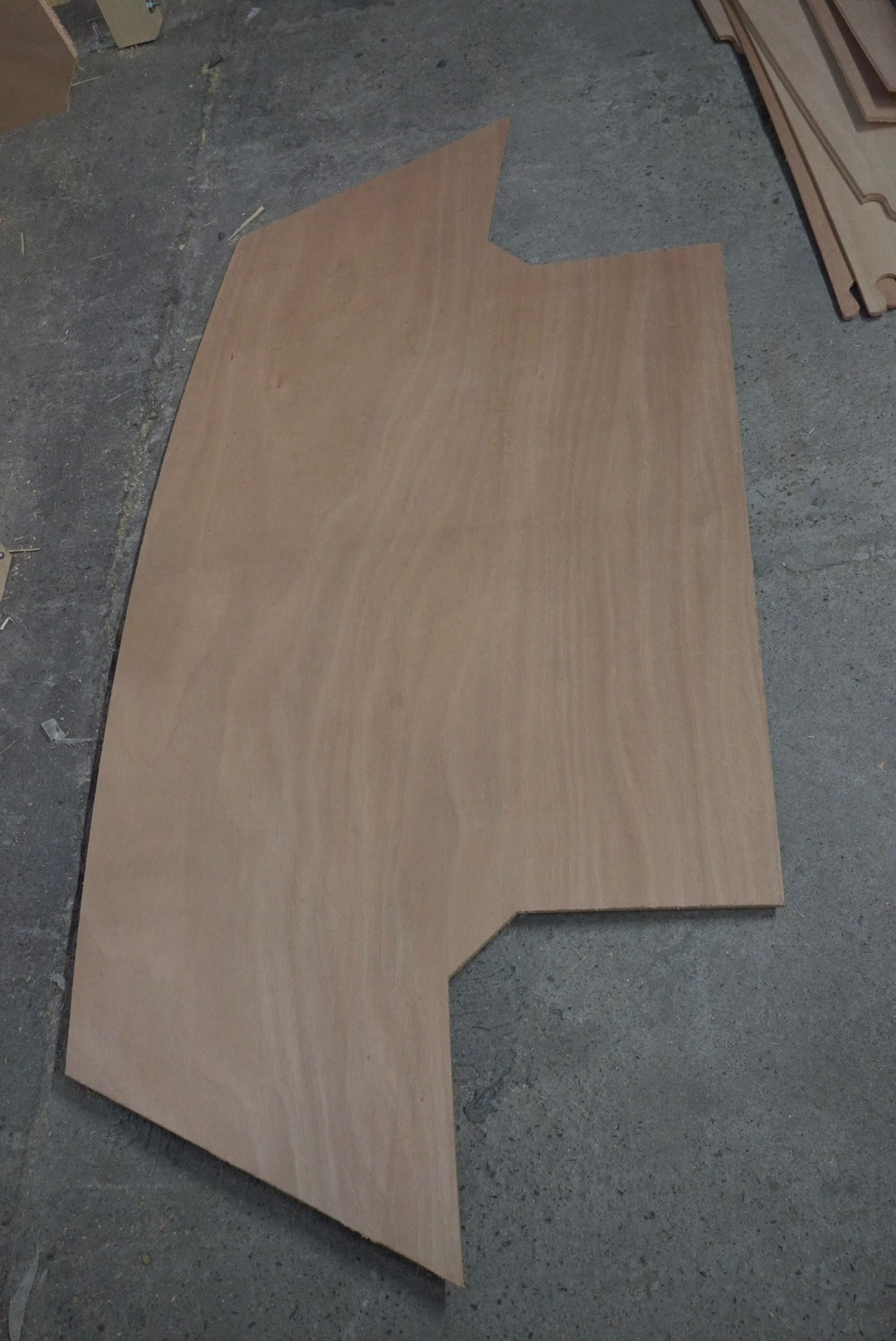
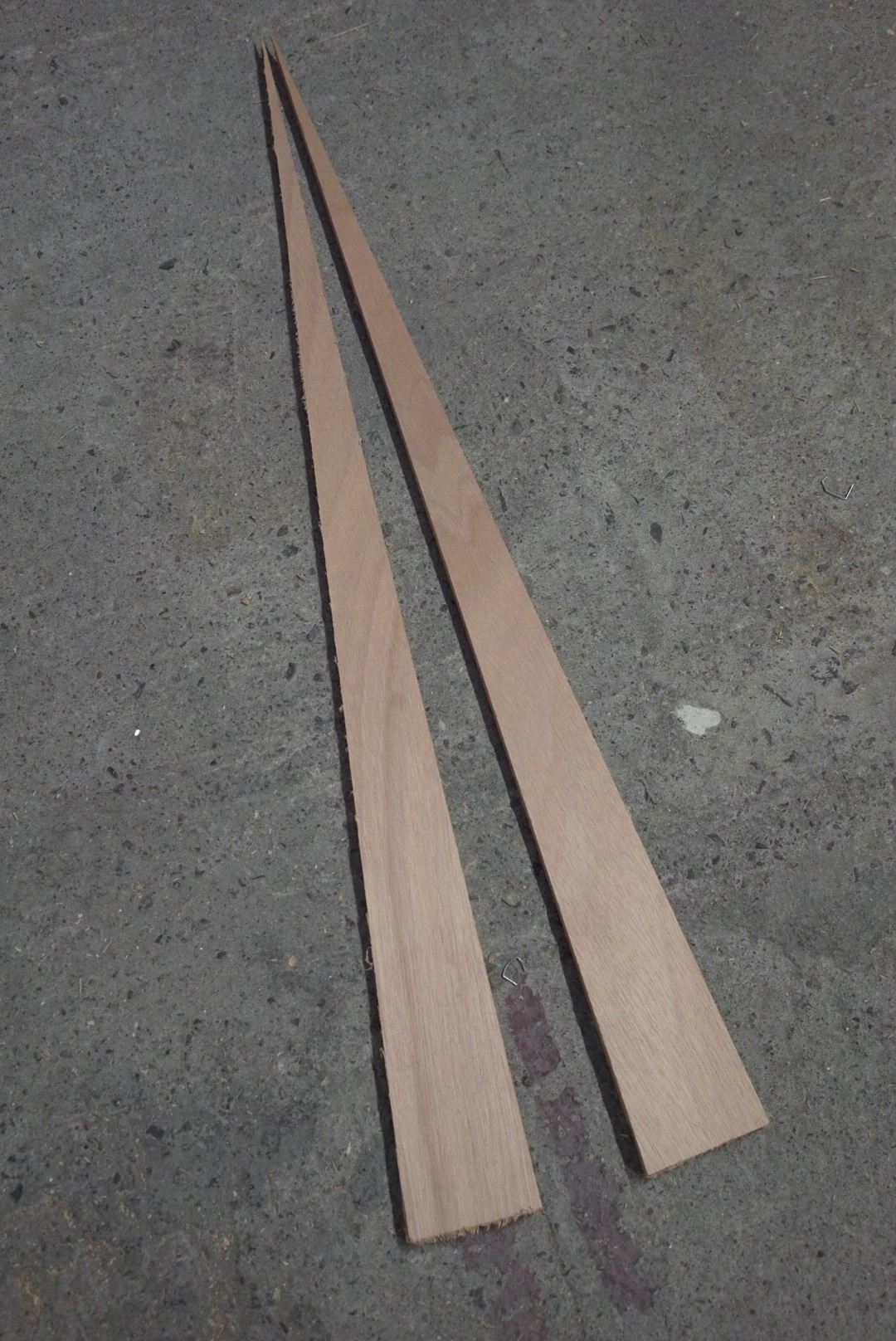
<p>The kit for my Mini 650 came without any instructions. It took me a whole day to figure out which part goes where. I made a list. Maybe it’ll help somebody else one day.</p>

<p>Not included in the kit:</p>

<ul>
  <li>stringers</li>
  <li>hardwood cap for the bow</li>
  <li>the plywood covering the tangents</li>
  <li>plywood to cover the hull area between the tangents</li>
  <li>plywood for the inside - berths, water tanks</li>
</ul>

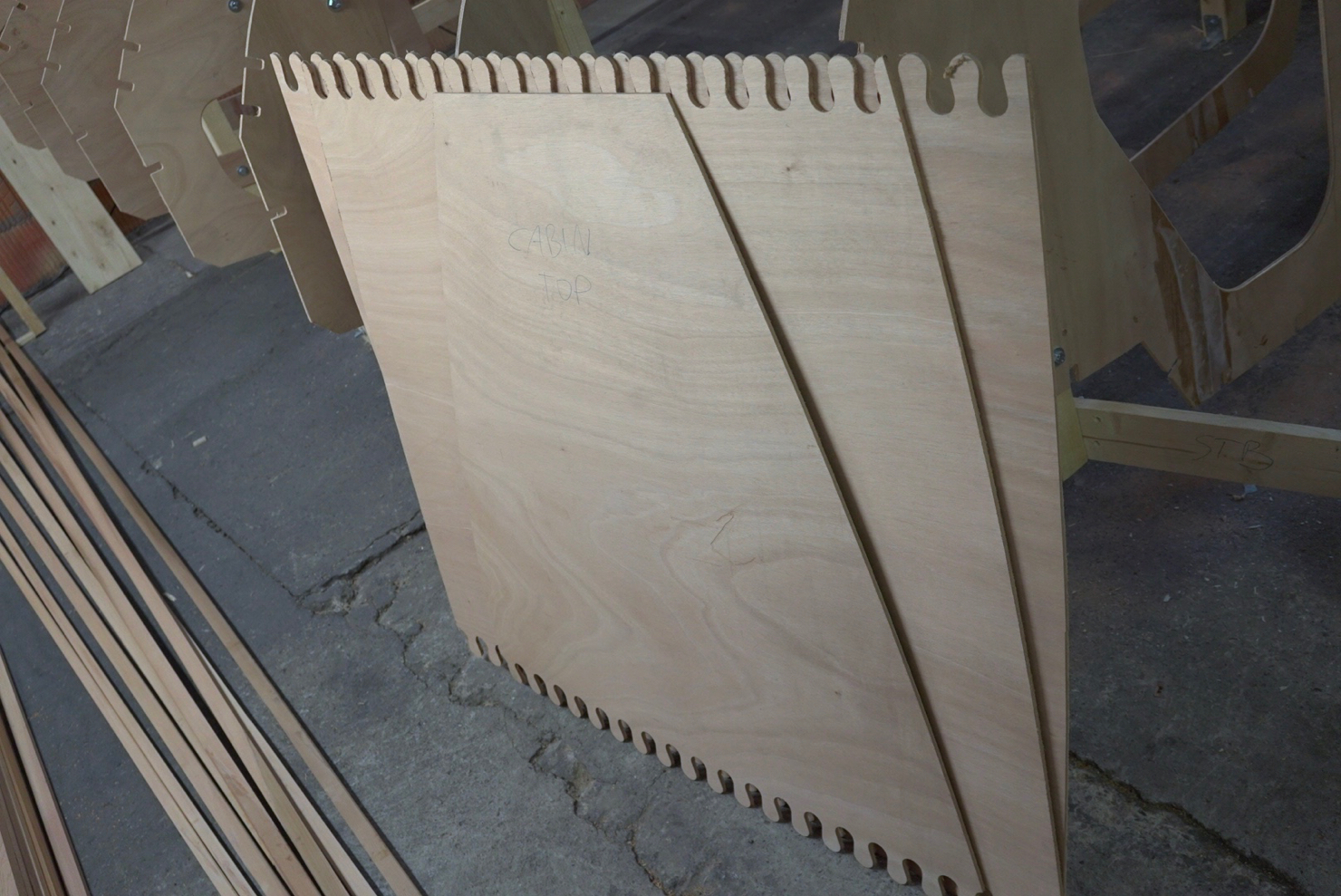
<p><img src="/assets/photos/kit-1.jpg" />
cabin top</p>

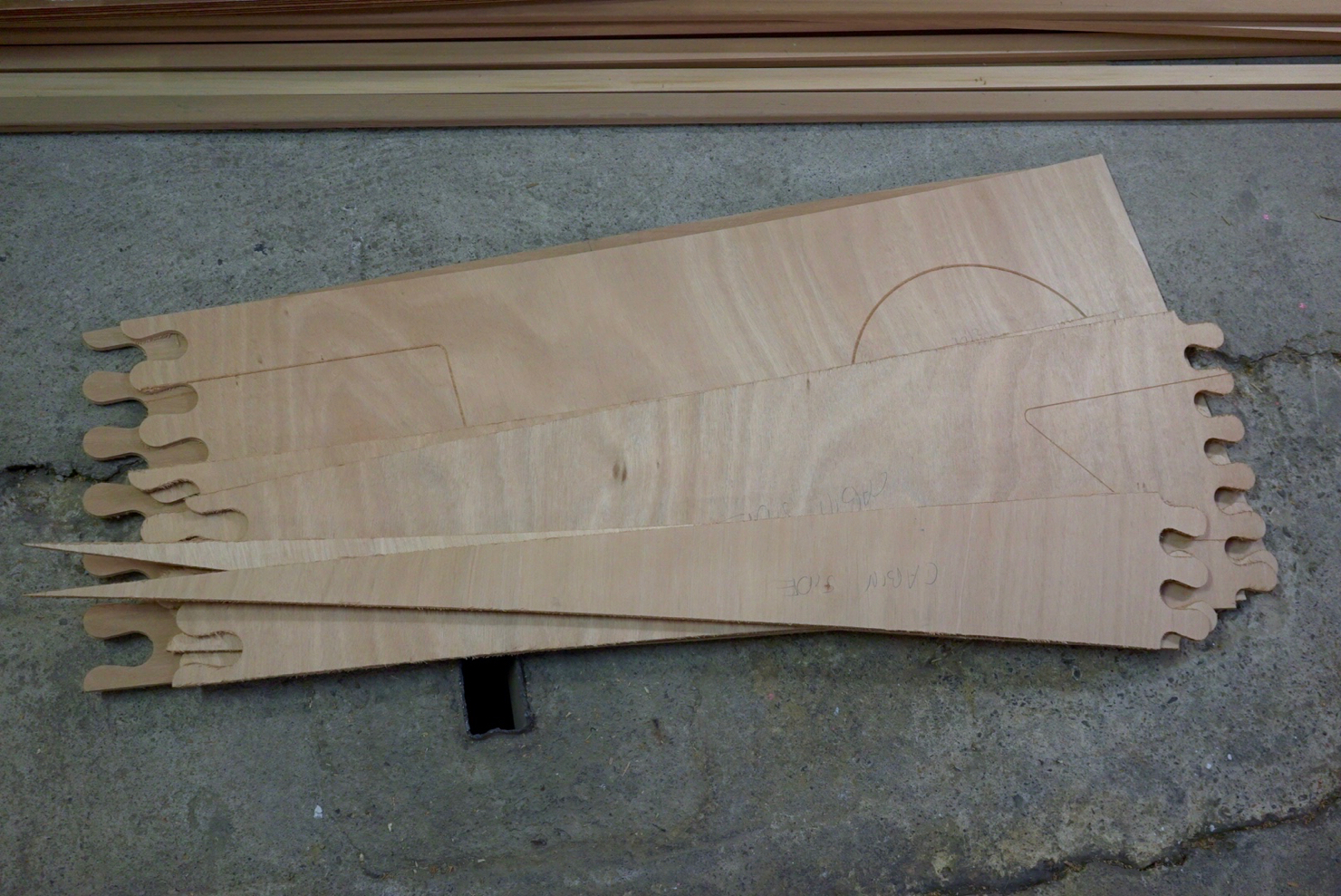
<p><img src="/assets/photos/kit-2.jpg" />
cabin sides - you can see the marks for the windows</p>
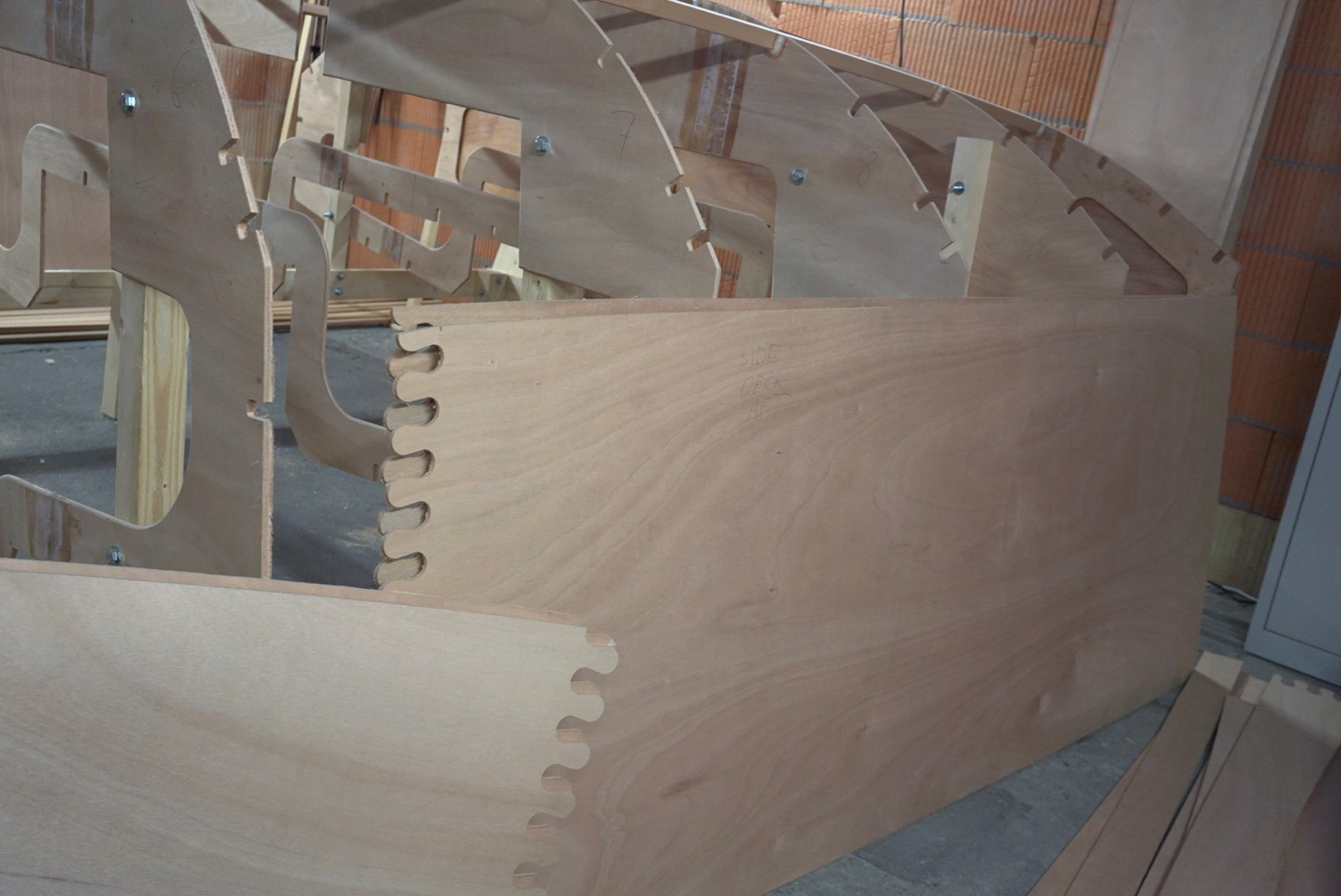
<p><img src="/assets/photos/kit-4.jpg" />
cockpit seats/side deck - aft</p>

<p><img src="/assets/photos/kit-5.jpg" />
side deck, foredeck</p>

<p><img src="/assets/photos/kit-6.jpg" />
bottom panels</p>

<p><img src="/assets/photos/kit-7.jpg" />
cockpit sides</p>

<p><img src="/assets/photos/kit-8.jpg" />
hull side - between chine and sheer line</p>
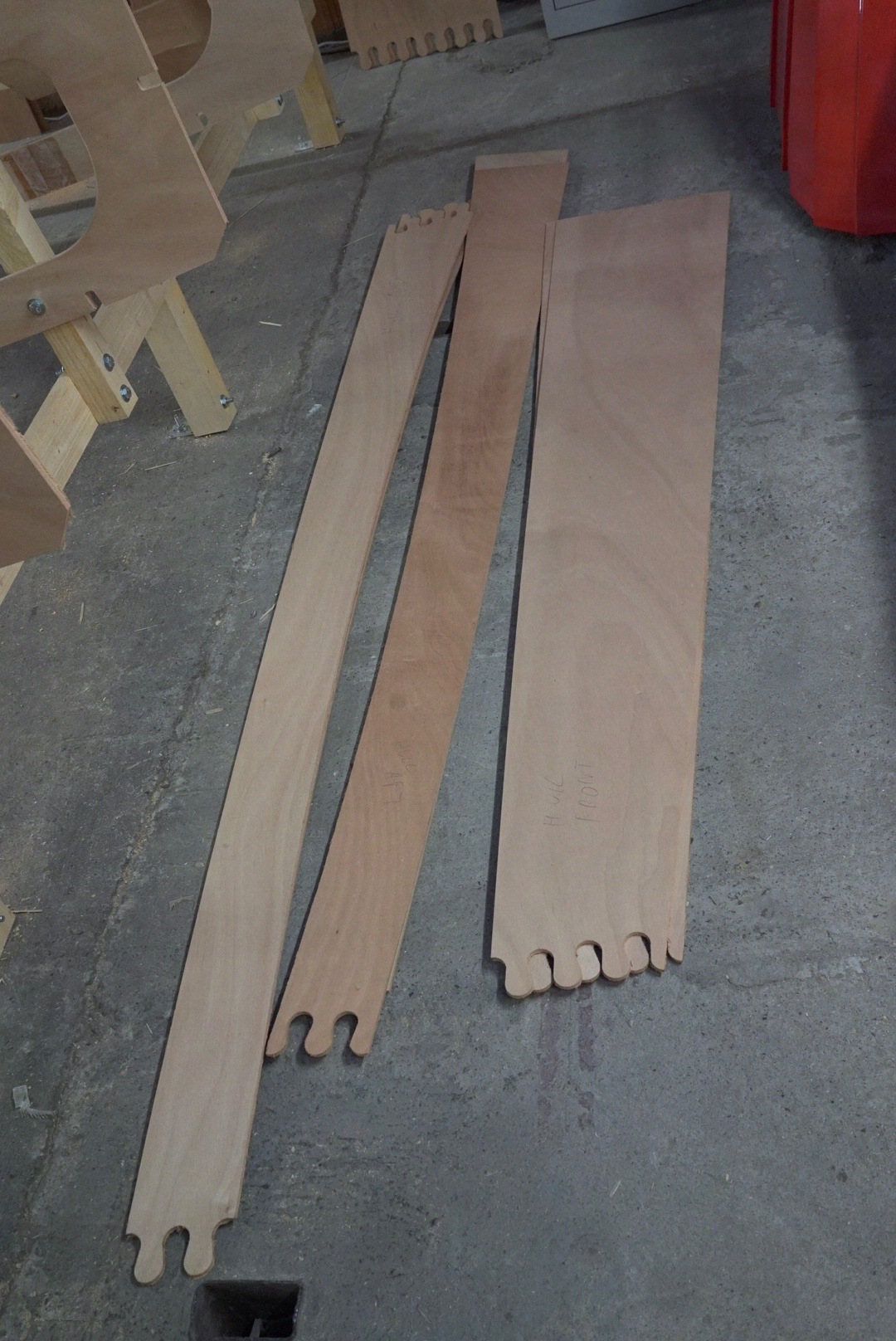
<p><img src="/assets/photos/kit-12.jpg" />
hull side - below chine</p>

<p><img src="/assets/photos/kit-10.jpg" />
cockpit sole</p>

<p><img src="/assets/photos/kit-9.jpg" />
cockpit sole 2</p>

<p><img src="/assets/photos/kit-11.jpg" />
cabin back side</p>

<p><img src="/assets/photos/kit-13.jpg" />
cockpit floor</p>]]></content><author><name>Alexander Lang</name></author><category term="Making Boats" /><category term="mini" /><category term="kit" /><category term="dudley dix" /><category term="mk3" /><category term="parts" /><summary type="html"><![CDATA[]]></summary></entry><entry><title type="html">Mini Boat Yard Episode 7 - setting up the building stocks and bulkheads</title><link href="https://alex.langs.berlin/making%20boats/mini-boat-yard-episode-7/" rel="alternate" type="text/html" title="Mini Boat Yard Episode 7 - setting up the building stocks and bulkheads" /><published>2016-01-17T23:00:00+01:00</published><updated>2016-01-17T23:00:00+01:00</updated><id>https://alex.langs.berlin/making%20boats/mini-boat-yard-episode-7</id><content type="html" xml:base="https://alex.langs.berlin/making%20boats/mini-boat-yard-episode-7/"><![CDATA[<iframe width="560" height="315" src="https://www.youtube.com/embed/9MM8NWUHan4" frameborder="0" allowfullscreen=""></iframe>

<p>Setting up the building stocks and bulkheads. The hull is taking shape!</p>]]></content><author><name>Alexander Lang</name></author><category term="Making Boats" /><category term="miniboatyard" /><category term="building stocks" /><category term="bulkheads" /><summary type="html"><![CDATA[]]></summary></entry></feed>